Wednesday, December 24, 2025

Wednesday, December 24, 2025

Wednesday, December 24, 2025

2025 Ticket Presale: Guide for Organizers in Argentina

2025 Ticket Presale: Guide for Organizers in Argentina

Written by:

Profile picture of Asuncion Leonard

Asuncion Leonard

21 minutes

21 minutes

21 minutes

pre-sale of tickets
pre-sale of tickets
pre-sale of tickets

In this post:

In this post:

In this post:

Section

Section

Section

Pre-sale of Tickets: Complete Guide for Argentine Organizers with Fanz

Pre-selling tickets is one of the most effective tools to launch an event with order and strategy. It's not just about selling in advance: it's about building anticipation, rewarding your most loyal community, and most importantly, ensuring that the day of the general opening doesn’t end in operational chaos that ruins the purchase experience.

Many organizers in Argentina launch their sales directly to the public without any segmentation. The result is predictable: unmanageable traffic spikes, frustrated buyers, tickets sold out in minutes with no way to manage demand, and a general feeling that "something went wrong". A well-designed pre-sale prevents all this. It allows you to control who gets access first, create a real sense of exclusivity, gauge genuine interest before the massive launch, and most importantly, secure early sales that give you financial peace of mind to finalize the event's details.

In this guide, you will understand how pre-sales work from scratch, what types you can use depending on your event's profile, and how to correctly set them up in Fanz using only real functionalities available today. No future promises or experiments: just tested tools already working for organizers across the country.

What is a Pre-sale of Tickets and What is it For

preventa

A ticket pre-sale is an advance sales period where only certain groups of people can buy before the general public. It's the difference between opening the doors to everyone at once and doing it in an orderly way, prioritizing those who truly built the event's anticipation from day one.

Pre-sale access is limited through three key mechanisms that work together:

Access Groups: you segment your buyers into differentiated categories (community, sponsors, collaborators, general sale, etc.), each with its own rules.

Differentiated Schedules: each group has its own specific time window. One can open on Thursday at 6:00 PM, another on Friday at noon, and so on.

Shared Access Codes (if the organizer decides to use them): a single code for the whole group that works as an entry key. It’s optional but useful when you want to restrict access simply and directly.

The pre-sale serves much more than just selling quickly. It allows you to:

Control who buys first: in high-demand events, this marks the difference between an orderly launch and a technical disaster.

Manage demand in high-expectation events: when you know you'll have more interested parties than available places, staggering access is key to not overloading the system.

Create exclusivity: early access has perceived value. People who get in first feel part of something special.

Measure real interest before the massive launch: if your pre-sale sells out in two hours, you know you have an event with traction. If it struggles to start, you still have time to adjust communication.

Take care of the buyer's experience: nobody wants to struggle with a collapsing checkout. The pre-sale smooths peaks and improves the general perception of your brand.

This model works for concerts, electronic parties, professional workshops, music festivals, conferences, theater plays, corporate events, and ultimately, any event with limited slots where demand exceeds (or may exceed) supply.

How Pre-sales Work in Fanz
checklist preventa

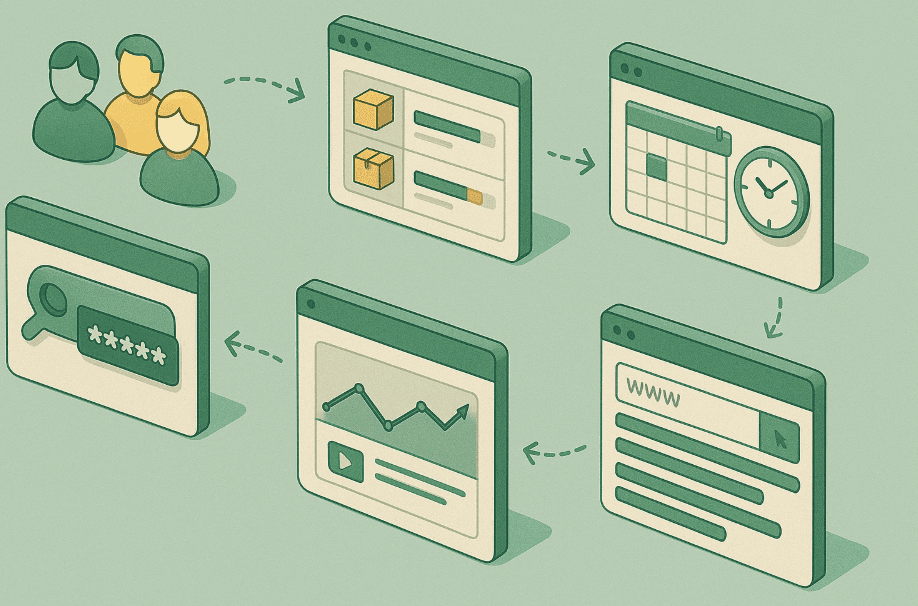
Fanz allows you to set up pre-sales through a segmented access system fully controlled by you as the organizer. There are no hidden algorithms or automated decisions: you configure every detail from the dashboard, and the system executes precisely what you defined.

Here we explain each component of the system, one by one, exactly how it works today.

1. Access Groups

You can create separate groups within the same event. Each group functions as an independent mini-sale with its own rules.

Each group has:

Its own schedule: you can define when it opens and closes autonomously. This means that while one group is already buying, another can remain closed waiting for its turn.

Its own stock: you assign a specific number of tickets to each group. These tickets do not mix with those of other groups, they are reserved exclusively for that segment.

Its own access link (if you configure it that way): each group can have a direct URL, which facilitates segmented communication and avoids confusion.

Optionally, a common code to access: if you want to add an extra layer of restriction, you can activate a shared code. All group members use the same code.

Concrete examples of groups you can create:

  • Community Pre-sale: for your most loyal followers, those on your mailing list or in your private WhatsApp group.

  • Sponsors Pre-sale: for the brands that supported you financially and deserve priority access for their guests.

  • Followers Pre-sale: for those who follow you on social media, a way to reward them before the massive opening.

  • General Sale: the moment when you open the doors to the public without restrictions.

This system allows you to build a logical and fair access ladder, where each group feels that their purchase moment is important.

2. Differentiated Schedules

Each group can open and close on different dates and times. This functionality is key to staggering demand and avoiding all the traffic arriving at the same time.

Example of a real schedule:

  • Community Pre-sale: Thursday 6:00 PM (closes Friday 11:59 AM)

  • General Sale: Friday 12:00 PM (until stock runs out)

This allows several things simultaneously: you prioritize your key audience, who are the ones who trust you and your project the most. You avoid the server receiving a thousand simultaneous connections at the first seconds, something that can collapse even robust platforms. And, above all, you naturally generate urgency: if you are part of the community and don’t buy during your window, you know that later you compete with the rest of the world.

The schedules also help you measure behavior. If the pre-sale starts slowly, you still have room to adjust communication before the general sale. If it explodes in the first minutes, you confirm that your anticipation strategy worked.

3. Shared Access Codes (optional)

If you want only certain users to enter the pre-sale, you can assign a shared code to a specific group. It’s important to understand how this system works because it is simple yet powerful.

It is a single code for the entire group: individual or personalized codes are not generated. All members of that group use the same keyword.

There is no identity validation: the system does not check ID, email, or any personal data. If you have the code, you can enter.

No lists are uploaded: there is no whitelist system with names or emails. The code is the only entry barrier.

The functioning is direct and frictionless:

The buyer enters the site → is asked for the code → enters it → accesses the group → can purchase within the available stock until it runs out or the group’s time window closes.

This method is ideal when you want to give access to a closed group but do not want to complicate yourself with complex validations. It works very well for Telegram communities, WhatsApp groups, newsletter subscribers, or project collaborators. The only care you should take is not to leak the code publicly ahead of time, as anyone with it can use it.

4. Stock Reserved by Group

Each group has its own fixed assigned inventory. This means that the tickets of one group do not mix with those of another, and each segment only consumes its assigned quota.

Example of stock distribution for an event of 800 people:

  • Total of the event: 800 tickets

  • Community Pre-sale: 150 tickets

  • Sponsors Pre-sale: 50 tickets

  • General Sale: 600 tickets

The stock functions under three clear rules:

Does not mix between groups: the 150 tickets for the Community Pre-sale are only for that group. If they don’t sell out, they do not automatically move to the general sale.

Only consumed within the group it belongs to: each purchase deducts from the specific inventory of that group and no other.

If a group does not sell out its stock, the organizer can manually edit it: from the panel you can redistribute tickets among groups if you see that one was left with a balance and another has high demand.

This system gives you total control. There are no odd automatisms or automatic releases of stock. You decide at all times how many tickets correspond to each segment and can adjust live if the situation requires it.

5. Checkout Under Your Own Domain

All the pre-sale takes place on your customized domain. This means the buyer never leaves yourevent.com/tickets to purchase. There are no redirections to generic marketplaces, no strange URLs, no doubts about where they are purchasing.

This improves four critical aspects of the purchase experience:

Trust: the Argentine buyer checks the URL before taking out their card. Seeing the event’s name in the domain gives immediate security.

Conversion: when the experience is smooth and without distractions, more people complete the purchase. There are no other events competing for attention, no banners, nothing to take them off the path.

Buyer experience: everything feels professional, direct, clean. It’s like buying from the official site of a well-known brand.

Brand building: each purchase reinforces your identity as an organizer. The buyer feels they are buying directly from you, not from a generic platform that could be selling anything.

The own domain transforms the event's perception. You are no longer "just another event in a ticketing platform", you are a brand with its own digital presence. That has real value and is noticeable in conversion metrics.

6. Direct Accreditation to Mercado Pago

Each pre-sale sale is directly credited to the organizer's Mercado Pago account. There is no intermediation, no bridge accounts, no additional waits beyond the usual times that Mercado Pago manages according to the payment method used.

Without intermediation: the money goes directly to your account. It doesn’t go through Fanz accounts or anyone else's.

Without additional waits: the accreditation times are those defined by Mercado Pago according to whether the buyer paid with balance, debit card, or credit. Fanz does not add delays. Buyers can pay with Visa cards, including Naranja X Visa, which are accepted for pre-sale purchases, facilitating the process and allowing for benefits associated with these cards.

Without ticketing platform withholdings: Fanz charges its commission transparently, but it doesn’t withhold your money. Everything sold is credited according to MP terms.

The liquidity is immediate according to the usual Mercado Pago times. This is key for organizers who need that cash flow early to close contracts, pay advances to suppliers, or simply have the peace of mind that the event already has a confirmed economic base.

7. Real-Time Panel and Reports

From the dashboard, you can see exactly what is happening with your pre-sale at any time. You don't have to wait for daily reports or ask anyone for information: everything is visible and updated in real-time.

From the panel, you can see:

Tickets sold by group: how many tickets each segment sold, how many remain available in each.

Stock consumption: what percentage of the assigned inventory was consumed in each group. This allows you to identify if a group is about to sell out and you need to reassign stock or open more slots.

Peak times: at what time most purchases are concentrated. Useful for planning subsequent communications or understanding your audience's habits.

Buyer behavior: access metrics, conversion rate, cart abandonment, everything you need to adjust your strategy.

This allows you to adjust the strategy while the pre-sale is active. If you see a group is not buying as expected, you can intensify communication. If you see a group is about to sell out quickly, you can decide whether to release more stock or let it sell out to maintain exclusivity.

Types of Pre-sale You Can Use for Your Event
tipos de preventa

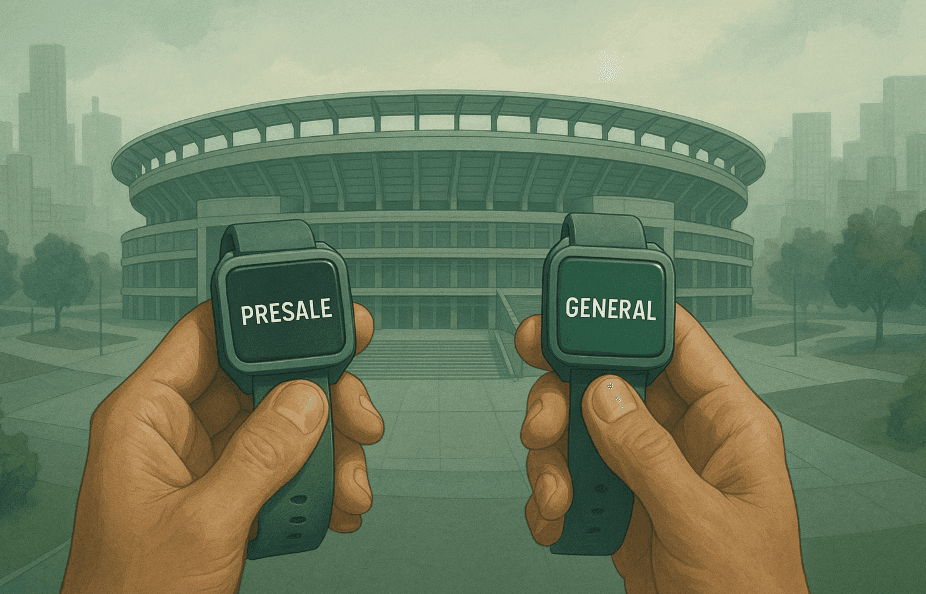
There is no single way to do a pre-sale. Depending on your event's profile, the size of your community, and your commercial objectives, you can choose between different models that adapt to different needs.

1. Pre-sale with Shared Code

A single code for the entire group. This model is ideal when you want to restrict access simply but effectively.

It's perfect for closed communities: your newsletter subscribers, your Telegram group, your most active followers on social media. You give them the code privately, and they access before anyone else. It also works very well to reward your most loyal audience: the people who have been there since day one, who shared your content, who trusted you when no one knew you.

The code generates a sense of belonging. It's not just early access; it’s being part of a select group with privileged information. That builds loyalty and makes those people natural ambassadors of the event.

2. Pre-sale by Segmented Groups

Without code, only by schedule. This model is more open but equally orderly.

Classic example:

  • Group 1 (Community): early access from Thursday at 6:00 PM. Announced in advance through your own channels (mail, Instagram, WhatsApp).

  • Group 2 (General): access the next day, Friday at noon, with massive communication on all channels.

This format works well when your community is large and you don’t want to complicate yourself with codes. You simply communicate the date and time of each stage, and each group knows when it's their turn. It's transparent, fair, and easy to understand.

3. Staggered Schedule Pre-sale

Opens in short successive stages. This model generates maximum urgency and is ideal for events with extremely high demand.

Staggered example:

  • Stage 1 (first 30 minutes): community only, limited stock to 100 tickets.

  • Stage 2 (then general opening): free access until the rest of the stock is exhausted.

This format creates a race against the clock. The community knows they have a super-short window, and afterwards, they will compete with everyone. That triggers conversions in the first minutes. The risk is that it can generate intense traffic spikes, but if your infrastructure can handle it, the results are very good.

You can also make multiple longer stages: the first week community only, the second week general pre-sale, the third week regular sale. It all depends on the event's schedule and how much time you have to sell.

4. Limited Quota Pre-sale

You assign a fixed number of tickets to the pre-sale without complex codes or time restrictions. You simply announce: "First 150 tickets available in pre-sale before general sale".

This model doesn't rely on codes or validations. It's free access but with limited stock. It works on a first-come, first-serve basis: whoever gets in first buys. When those 150 tickets are sold out, the pre-sale closes, and the rest have to wait for the general sale (where the price is probably higher or conditions less attractive).

It's a format widely used in medium-scale events where you don't have a super-defined community but still want to generate initial urgency. It also serves to test demand without committing to complex segmentations.

Benefits of Doing the Pre-sale with a Custom Domain

Selling under your own domain is not an aesthetic whim: it is a strategic decision that directly impacts conversion, brand, and relationship with the buyer.

Higher Conversion

The buyer is not distracted by other events or doubts about the site's legitimacy. When you enter yourevent.com/tickets, you know exactly where you are. There are no side banners, no suggested events, nothing that takes you off the path to checkout. This level of focus significantly increases the conversion rate, especially in audiences that are evaluating the purchase but haven’t made the final decision.

Brand Building

Your domain grows in authority and recognition with each sale. Each person who buys associates that domain with your event, and if the experience is good, they will return in future editions directly to your site. They won't return to a generic platform looking for your event among a hundred others: they will return to you.

This has real economic value. As your domain gains traction, you reduce reliance on marketplaces and paid channels. People find you directly, which lowers your acquisition cost and improves your operating margin.

Argentine Buyer Confidence

The Argentine buyer checks the URL before paying. It is a well-marked cultural behavior: before entering card data or passwords, we all check the address bar to confirm we are in the right place.

A custom domain conveys seriousness. It conveys that there is an organization behind, that there is support, that if something goes wrong, there is someone to claim from. That doesn't happen with generic marketplace URLs, where the buyer never ends up being 100% sure who is on the other side.

Total Operational Control

Schedules, stock, codes, and groups in a single panel under your domain. You don’t rely on marketplace rules or their technical limitations. If you want to change a group’s opening time at the last minute, you do it. If you want to redistribute stock among segments, you do it. If you want to pause the sale for two hours because you need to adjust something, you do it.

This level of control is impossible on generic platforms where you share space with other organizers and where the rules are defined by the platform, not you.

Clear Data in Real-Time

You measure real demand without relying on external platforms that show you only what they want you to see. You have access to all the information: who buys, when they buy, from where they buy, what type of ticket they choose, how long it takes to complete the purchase.

These data are yours and you can use them to optimize not only this pre-sale but all your future events. It is pure commercial intelligence that, in a shared marketplace, you simply wouldn’t have.

How to Set up a Pre-sale in Fanz (Real Step-by-Step)

Setting up a pre-sale in Fanz doesn’t require complex technical knowledge. The panel is designed so that any organizer, with or without prior experience on ticketing platforms, can set up their access structure in minutes.

In other platforms like Naranja X, users can manage cards, access pre-sales, and promotions directly from the app, facilitating the experience from the phone.

1. Create Groups to Access

From the event administration panel, you look for the groups section and add a new group. You give it a descriptive name that helps you easily identify it: "Community Pre-sale", "Sponsors Pre-sale", "General Sale", etc.

You can create as many groups as you need. There are no arbitrary limits: if your event requires five differentiated access levels, you can configure them without problem.

2. Assign Stock

Once the group is created, you define how many tickets correspond to that segment. This is key: that number determines how many people at most will be able to buy within that group, regardless of the demand.

If you assign 150 tickets to the Community Pre-sale, a maximum of 150 tickets will be sold in that group. Even if there are a thousand people with the code trying to enter, the system will not sell more than the 150 you defined.

This gives you absolute certainty about inventory distribution and avoids over-selling errors or imbalances between groups.

3. Set Schedules

You define the exact date and time of opening and closing for each group. You can use staggered schedules to generate urgency or longer windows to give enough time to each segment.

The system respects those schedules to the second. If you set opening at 6:00:00 PM, access is enabled at that exact moment. If you set closing at 11:59:59 PM, after that time, the group stops receiving purchases, even if it still has available stock.

4. Activate Code (Optional)

If you want to restrict access beyond the schedule, you can activate a shared code for the group. You choose a word or combination of characters, save it, and it becomes the entry key.

The code is optional: if you don’t activate it, the group works only by schedule and stock. But if you activate it, it adds as an additional access barrier.

5. Activate the Custom Domain

If you’ve already set up your custom domain, the pre-sale automatically shows in your URL. You don’t have to do anything extra: the system recognizes you have a custom domain and renders the entire checkout under that domain.

If you haven’t yet set up the domain, you can do so from the general event settings section. Once active, all sales (pre-sale and general) run under your domain.

6. Monitor Sales

From the same panel, in real-time, you see how many tickets each group sold, how many are available, what percentage of stock was consumed, and all the operational information you need to make decisions.

If you see a group is about to sell out and there’s still a long time before the general sale, you can evaluate whether to release more tickets for that segment or let it sell out to maintain exclusivity. If you see a group started slow, you can adjust communication or extend the closing time.

This level of operational visibility is what makes the difference between a controlled pre-sale and an improvised one.

Recommended Strategy to Maximize Pre-sale Sales

A technically well-configured pre-sale is just half the work. The other half is strategy: how you communicate, who you prioritize, how you manage stock, how you manage expectations. These recommendations come from years of real experience with Argentine organizers who tried different formats and adjusted until finding what works.

🔹 1. Start with Your Most Loyal Community

The first pre-sale should always be for the people who have supported you from the start. Those on your mailing list, those who comment on your posts, those who share your content without being asked.

Giving them access priority is not just a fair reward: it is a smart strategy. Those people are your natural ambassadors. If they have a good experience in the pre-sale, they will share their excitement on social media, they will say they’ve already bought, and they will generate FOMO (fear of missing out) in the rest of the audience.

Moreover, this first group gives you valuable information. If your most loyal community buys quickly, you know the event has real traction. If they struggle to start, it's an early warning sign allowing you to adjust communication before the general sale.

🔹 2. Keep Stock Clear and Reasonable

Do not assign too much stock to the pre-sale. It is tempting to want to sell everything in pre-sales because it feels more controlled, but you leave no margin for the general sale, and that can work against you.

A reasonable proportion is: 15-25% of total stock for community pre-sale, 5-10% for sponsors pre-sale (if applicable), and the rest for general sale. This gives you enough to reward your key audience without compromising the bulk of demand.

If the pre-sale sells out too quickly, you can always release more tickets before the general sale. But if you assign too much and then regret it, you can’t go back without creating noise with those who already bought.

🔹 3. Avoid Leaks

If you use shared code, send it only to the appropriate parties and explicitly ask them not to share it publicly. A leaked code ruins the whole pre-sale strategy because it turns exclusive access into open access.

You can communicate the code by private email, direct message on social media, or closed WhatsApp group. The important thing is for it to reach only the people you want to reward and for them to understand it is sensitive information.

If you detect that the code leaked (for example, because sales exploded more than expected), you can change the code on the fly and communicate the new one only to legitimate users. It’s an awkward situation but manageable.

🔹 4. Communicate the Custom Domain

If you have a custom domain, communicate it explicitly across all channels. This dramatically improves trust and conversion.

In your posts, emails, and stories, always include the full URL: "Buy at yourevent.com/tickets". Let the buyer know exactly where to go and recognize that domain as the event's official site.

Many buyers hesitate at the last moment because they aren’t sure if they're in the right place. If the domain is yours and you communicated it clearly, that doubt disappears.

🔹 5. Stagger Schedules

Do not open everything at once. Staggering schedules helps distribute traffic, avoid unnecessary peaks that can overload the system, and generate multiple expectation moments that you can use to communicate.

Each group's opening is a media opportunity, a social media post, an email. If you open everything together, you have a single communication moment. If you stagger, you have three or four moments and can keep the conversation active for longer.

Moreover, staggering gives you time to adjust. If the first pre-sale reveals some technical or communication issue, you can correct it before the next stage.

Frequently Asked Questions about Pre-sales in Argentina

These are the most common doubts that arise when an organizer is about to implement their first pre-sale with Fanz. We answer them clearly so no point is confusing.

What is a Shared Code?

It is a unique key that allows early access to a whole group of people. All members of that group use the same code to enter. There are no individual personalized codes or cross-validation with ID, email, or any other personal data. It is a simple system: if you have the code, you can enter. If you don’t have it, you can’t enter.

The code functions as a master key for the entire segment. Once you enter it, you access the group and can buy within the available stock until it runs out or until the group’s schedule closes.

Does a Group's Stock Mix with General Sale?

No. Each group has reserved stock that does not cross with other groups. If you assigned 150 tickets to the Community Pre-sale and only 120 were sold, those 30 leftover tickets do not automatically move to the general sale.

They stay there, within the group, and you, as the organizer, can decide what to do: manually reassign them to another group, release them for the general sale, or leave them frozen.

The system doesn’t make decisions for you. You manage the inventory at all times and decide when and how stock is distributed among the different segments.

How Does Payment Work?

All purchases, both pre-sale and general sale, are directly credited to the organizer's Mercado Pago account. There is no Fanz intermediation, no bridge accounts, no additional waits.

Accreditation times depend exclusively on Mercado Pago and the payment method used by the buyer. If paid with account balance or debit, the accreditation is quicker. If paid with credit in installments, it may take a bit longer according to MP policies.

But the important thing is that there are no ticketing platform withholdings or arbitrary waits. Liquidity is direct.

Does the Pre-sale Replace the General Sale?

No. The pre-sale is a previous stage designed to organize access, reward certain segments, generate anticipation, and ensure early sales. But the general sale is still the moment when most stock is made available to the massive public.

Think of it as a staircase: the pre-sale is the first steps, where those with priority go up. The general sale is the bulk of the event, where the rest of the audience goes up.

A balanced strategy combines both stages intelligently: enough pre-sale to generate initial traction, enough general sale to capture mass demand.

Does a Custom Domain Improve Conversion?

Yes, significantly. Buyers trust personalized URLs more than generic marketplaces. Seeing the event's name in the domain conveys professionalism, legitimacy, and seriousness.

Moreover, the custom domain eliminates distractions. In a marketplace, the buyer could end up looking at other events, comparing prices, or simply losing focus. On your custom domain, the experience is designed exclusively for your event and nothing else.

This translates to a higher conversion rate, less cart abandonment, and a more positive overall perception of the purchase process. The buyer feels they are buying directly from the organizer, not through an intermediary, which generates trust.

Conclusion

A well-structured pre-sale allows you to organize demand, reward your community, generate early sales flow, and strengthen your brand as an organizer. It’s not just a sales tactic: it is an integral strategy that impacts your relationship with the public, your operational capacity, and the professional perception of your project.

With Fanz’s real functionalities —access groups, shared codes, differentiated schedules, segment stock, custom domains, and direct MarketPay accreditation—you can manage pre-sales professionally, clearly, and completely under your control. There are no odd automatisms, no arbitrary restrictions, no black boxes. You configure what you need and the system executes exactly that.

The difference between an improvised pre-sale and a well-designed one is noticeable in every metric: conversion, buyer satisfaction, demand distribution, predictability of sales, brand building. And all this starts with understanding how the tools you have available work and how to use them strategically for your specific event.

If you are organizing an event in Argentina and want the launch to be orderly, professional, and profitable from the first minute, pre-selling with Fanz is the most direct path to achieving it.

Pre-sale of Tickets: Complete Guide for Argentine Organizers with Fanz

Pre-selling tickets is one of the most effective tools to launch an event with order and strategy. It's not just about selling in advance: it's about building anticipation, rewarding your most loyal community, and most importantly, ensuring that the day of the general opening doesn’t end in operational chaos that ruins the purchase experience.

Many organizers in Argentina launch their sales directly to the public without any segmentation. The result is predictable: unmanageable traffic spikes, frustrated buyers, tickets sold out in minutes with no way to manage demand, and a general feeling that "something went wrong". A well-designed pre-sale prevents all this. It allows you to control who gets access first, create a real sense of exclusivity, gauge genuine interest before the massive launch, and most importantly, secure early sales that give you financial peace of mind to finalize the event's details.

In this guide, you will understand how pre-sales work from scratch, what types you can use depending on your event's profile, and how to correctly set them up in Fanz using only real functionalities available today. No future promises or experiments: just tested tools already working for organizers across the country.

What is a Pre-sale of Tickets and What is it For

preventa

A ticket pre-sale is an advance sales period where only certain groups of people can buy before the general public. It's the difference between opening the doors to everyone at once and doing it in an orderly way, prioritizing those who truly built the event's anticipation from day one.

Pre-sale access is limited through three key mechanisms that work together:

Access Groups: you segment your buyers into differentiated categories (community, sponsors, collaborators, general sale, etc.), each with its own rules.

Differentiated Schedules: each group has its own specific time window. One can open on Thursday at 6:00 PM, another on Friday at noon, and so on.

Shared Access Codes (if the organizer decides to use them): a single code for the whole group that works as an entry key. It’s optional but useful when you want to restrict access simply and directly.

The pre-sale serves much more than just selling quickly. It allows you to:

Control who buys first: in high-demand events, this marks the difference between an orderly launch and a technical disaster.

Manage demand in high-expectation events: when you know you'll have more interested parties than available places, staggering access is key to not overloading the system.

Create exclusivity: early access has perceived value. People who get in first feel part of something special.

Measure real interest before the massive launch: if your pre-sale sells out in two hours, you know you have an event with traction. If it struggles to start, you still have time to adjust communication.

Take care of the buyer's experience: nobody wants to struggle with a collapsing checkout. The pre-sale smooths peaks and improves the general perception of your brand.

This model works for concerts, electronic parties, professional workshops, music festivals, conferences, theater plays, corporate events, and ultimately, any event with limited slots where demand exceeds (or may exceed) supply.

How Pre-sales Work in Fanz

checklist preventa

Fanz allows you to set up pre-sales through a segmented access system fully controlled by you as the organizer. There are no hidden algorithms or automated decisions: you configure every detail from the dashboard, and the system executes precisely what you defined.

Here we explain each component of the system, one by one, exactly how it works today.

1. Access Groups

You can create separate groups within the same event. Each group functions as an independent mini-sale with its own rules.

Each group has:

Its own schedule: you can define when it opens and closes autonomously. This means that while one group is already buying, another can remain closed waiting for its turn.

Its own stock: you assign a specific number of tickets to each group. These tickets do not mix with those of other groups, they are reserved exclusively for that segment.

Its own access link (if you configure it that way): each group can have a direct URL, which facilitates segmented communication and avoids confusion.

Optionally, a common code to access: if you want to add an extra layer of restriction, you can activate a shared code. All group members use the same code.

Concrete examples of groups you can create:

  • Community Pre-sale: for your most loyal followers, those on your mailing list or in your private WhatsApp group.

  • Sponsors Pre-sale: for the brands that supported you financially and deserve priority access for their guests.

  • Followers Pre-sale: for those who follow you on social media, a way to reward them before the massive opening.

  • General Sale: the moment when you open the doors to the public without restrictions.

This system allows you to build a logical and fair access ladder, where each group feels that their purchase moment is important.

2. Differentiated Schedules

Each group can open and close on different dates and times. This functionality is key to staggering demand and avoiding all the traffic arriving at the same time.

Example of a real schedule:

  • Community Pre-sale: Thursday 6:00 PM (closes Friday 11:59 AM)

  • General Sale: Friday 12:00 PM (until stock runs out)

This allows several things simultaneously: you prioritize your key audience, who are the ones who trust you and your project the most. You avoid the server receiving a thousand simultaneous connections at the first seconds, something that can collapse even robust platforms. And, above all, you naturally generate urgency: if you are part of the community and don’t buy during your window, you know that later you compete with the rest of the world.

The schedules also help you measure behavior. If the pre-sale starts slowly, you still have room to adjust communication before the general sale. If it explodes in the first minutes, you confirm that your anticipation strategy worked.

3. Shared Access Codes (optional)

If you want only certain users to enter the pre-sale, you can assign a shared code to a specific group. It’s important to understand how this system works because it is simple yet powerful.

It is a single code for the entire group: individual or personalized codes are not generated. All members of that group use the same keyword.

There is no identity validation: the system does not check ID, email, or any personal data. If you have the code, you can enter.

No lists are uploaded: there is no whitelist system with names or emails. The code is the only entry barrier.

The functioning is direct and frictionless:

The buyer enters the site → is asked for the code → enters it → accesses the group → can purchase within the available stock until it runs out or the group’s time window closes.

This method is ideal when you want to give access to a closed group but do not want to complicate yourself with complex validations. It works very well for Telegram communities, WhatsApp groups, newsletter subscribers, or project collaborators. The only care you should take is not to leak the code publicly ahead of time, as anyone with it can use it.

4. Stock Reserved by Group

Each group has its own fixed assigned inventory. This means that the tickets of one group do not mix with those of another, and each segment only consumes its assigned quota.

Example of stock distribution for an event of 800 people:

  • Total of the event: 800 tickets

  • Community Pre-sale: 150 tickets

  • Sponsors Pre-sale: 50 tickets

  • General Sale: 600 tickets

The stock functions under three clear rules:

Does not mix between groups: the 150 tickets for the Community Pre-sale are only for that group. If they don’t sell out, they do not automatically move to the general sale.

Only consumed within the group it belongs to: each purchase deducts from the specific inventory of that group and no other.

If a group does not sell out its stock, the organizer can manually edit it: from the panel you can redistribute tickets among groups if you see that one was left with a balance and another has high demand.

This system gives you total control. There are no odd automatisms or automatic releases of stock. You decide at all times how many tickets correspond to each segment and can adjust live if the situation requires it.

5. Checkout Under Your Own Domain

All the pre-sale takes place on your customized domain. This means the buyer never leaves yourevent.com/tickets to purchase. There are no redirections to generic marketplaces, no strange URLs, no doubts about where they are purchasing.

This improves four critical aspects of the purchase experience:

Trust: the Argentine buyer checks the URL before taking out their card. Seeing the event’s name in the domain gives immediate security.

Conversion: when the experience is smooth and without distractions, more people complete the purchase. There are no other events competing for attention, no banners, nothing to take them off the path.

Buyer experience: everything feels professional, direct, clean. It’s like buying from the official site of a well-known brand.

Brand building: each purchase reinforces your identity as an organizer. The buyer feels they are buying directly from you, not from a generic platform that could be selling anything.

The own domain transforms the event's perception. You are no longer "just another event in a ticketing platform", you are a brand with its own digital presence. That has real value and is noticeable in conversion metrics.

6. Direct Accreditation to Mercado Pago

Each pre-sale sale is directly credited to the organizer's Mercado Pago account. There is no intermediation, no bridge accounts, no additional waits beyond the usual times that Mercado Pago manages according to the payment method used.

Without intermediation: the money goes directly to your account. It doesn’t go through Fanz accounts or anyone else's.

Without additional waits: the accreditation times are those defined by Mercado Pago according to whether the buyer paid with balance, debit card, or credit. Fanz does not add delays. Buyers can pay with Visa cards, including Naranja X Visa, which are accepted for pre-sale purchases, facilitating the process and allowing for benefits associated with these cards.

Without ticketing platform withholdings: Fanz charges its commission transparently, but it doesn’t withhold your money. Everything sold is credited according to MP terms.

The liquidity is immediate according to the usual Mercado Pago times. This is key for organizers who need that cash flow early to close contracts, pay advances to suppliers, or simply have the peace of mind that the event already has a confirmed economic base.

7. Real-Time Panel and Reports

From the dashboard, you can see exactly what is happening with your pre-sale at any time. You don't have to wait for daily reports or ask anyone for information: everything is visible and updated in real-time.

From the panel, you can see:

Tickets sold by group: how many tickets each segment sold, how many remain available in each.

Stock consumption: what percentage of the assigned inventory was consumed in each group. This allows you to identify if a group is about to sell out and you need to reassign stock or open more slots.

Peak times: at what time most purchases are concentrated. Useful for planning subsequent communications or understanding your audience's habits.

Buyer behavior: access metrics, conversion rate, cart abandonment, everything you need to adjust your strategy.

This allows you to adjust the strategy while the pre-sale is active. If you see a group is not buying as expected, you can intensify communication. If you see a group is about to sell out quickly, you can decide whether to release more stock or let it sell out to maintain exclusivity.

Types of Pre-sale You Can Use for Your Event

tipos de preventa

There is no single way to do a pre-sale. Depending on your event's profile, the size of your community, and your commercial objectives, you can choose between different models that adapt to different needs.

1. Pre-sale with Shared Code

A single code for the entire group. This model is ideal when you want to restrict access simply but effectively.

It's perfect for closed communities: your newsletter subscribers, your Telegram group, your most active followers on social media. You give them the code privately, and they access before anyone else. It also works very well to reward your most loyal audience: the people who have been there since day one, who shared your content, who trusted you when no one knew you.

The code generates a sense of belonging. It's not just early access; it’s being part of a select group with privileged information. That builds loyalty and makes those people natural ambassadors of the event.

2. Pre-sale by Segmented Groups

Without code, only by schedule. This model is more open but equally orderly.

Classic example:

  • Group 1 (Community): early access from Thursday at 6:00 PM. Announced in advance through your own channels (mail, Instagram, WhatsApp).

  • Group 2 (General): access the next day, Friday at noon, with massive communication on all channels.

This format works well when your community is large and you don’t want to complicate yourself with codes. You simply communicate the date and time of each stage, and each group knows when it's their turn. It's transparent, fair, and easy to understand.

3. Staggered Schedule Pre-sale

Opens in short successive stages. This model generates maximum urgency and is ideal for events with extremely high demand.

Staggered example:

  • Stage 1 (first 30 minutes): community only, limited stock to 100 tickets.

  • Stage 2 (then general opening): free access until the rest of the stock is exhausted.

This format creates a race against the clock. The community knows they have a super-short window, and afterwards, they will compete with everyone. That triggers conversions in the first minutes. The risk is that it can generate intense traffic spikes, but if your infrastructure can handle it, the results are very good.

You can also make multiple longer stages: the first week community only, the second week general pre-sale, the third week regular sale. It all depends on the event's schedule and how much time you have to sell.

4. Limited Quota Pre-sale

You assign a fixed number of tickets to the pre-sale without complex codes or time restrictions. You simply announce: "First 150 tickets available in pre-sale before general sale".

This model doesn't rely on codes or validations. It's free access but with limited stock. It works on a first-come, first-serve basis: whoever gets in first buys. When those 150 tickets are sold out, the pre-sale closes, and the rest have to wait for the general sale (where the price is probably higher or conditions less attractive).

It's a format widely used in medium-scale events where you don't have a super-defined community but still want to generate initial urgency. It also serves to test demand without committing to complex segmentations.

Benefits of Doing the Pre-sale with a Custom Domain

Selling under your own domain is not an aesthetic whim: it is a strategic decision that directly impacts conversion, brand, and relationship with the buyer.

Higher Conversion

The buyer is not distracted by other events or doubts about the site's legitimacy. When you enter yourevent.com/tickets, you know exactly where you are. There are no side banners, no suggested events, nothing that takes you off the path to checkout. This level of focus significantly increases the conversion rate, especially in audiences that are evaluating the purchase but haven’t made the final decision.

Brand Building

Your domain grows in authority and recognition with each sale. Each person who buys associates that domain with your event, and if the experience is good, they will return in future editions directly to your site. They won't return to a generic platform looking for your event among a hundred others: they will return to you.

This has real economic value. As your domain gains traction, you reduce reliance on marketplaces and paid channels. People find you directly, which lowers your acquisition cost and improves your operating margin.

Argentine Buyer Confidence

The Argentine buyer checks the URL before paying. It is a well-marked cultural behavior: before entering card data or passwords, we all check the address bar to confirm we are in the right place.

A custom domain conveys seriousness. It conveys that there is an organization behind, that there is support, that if something goes wrong, there is someone to claim from. That doesn't happen with generic marketplace URLs, where the buyer never ends up being 100% sure who is on the other side.

Total Operational Control

Schedules, stock, codes, and groups in a single panel under your domain. You don’t rely on marketplace rules or their technical limitations. If you want to change a group’s opening time at the last minute, you do it. If you want to redistribute stock among segments, you do it. If you want to pause the sale for two hours because you need to adjust something, you do it.

This level of control is impossible on generic platforms where you share space with other organizers and where the rules are defined by the platform, not you.

Clear Data in Real-Time

You measure real demand without relying on external platforms that show you only what they want you to see. You have access to all the information: who buys, when they buy, from where they buy, what type of ticket they choose, how long it takes to complete the purchase.

These data are yours and you can use them to optimize not only this pre-sale but all your future events. It is pure commercial intelligence that, in a shared marketplace, you simply wouldn’t have.

How to Set up a Pre-sale in Fanz (Real Step-by-Step)

Setting up a pre-sale in Fanz doesn’t require complex technical knowledge. The panel is designed so that any organizer, with or without prior experience on ticketing platforms, can set up their access structure in minutes.

In other platforms like Naranja X, users can manage cards, access pre-sales, and promotions directly from the app, facilitating the experience from the phone.

1. Create Groups to Access

From the event administration panel, you look for the groups section and add a new group. You give it a descriptive name that helps you easily identify it: "Community Pre-sale", "Sponsors Pre-sale", "General Sale", etc.

You can create as many groups as you need. There are no arbitrary limits: if your event requires five differentiated access levels, you can configure them without problem.

2. Assign Stock

Once the group is created, you define how many tickets correspond to that segment. This is key: that number determines how many people at most will be able to buy within that group, regardless of the demand.

If you assign 150 tickets to the Community Pre-sale, a maximum of 150 tickets will be sold in that group. Even if there are a thousand people with the code trying to enter, the system will not sell more than the 150 you defined.

This gives you absolute certainty about inventory distribution and avoids over-selling errors or imbalances between groups.

3. Set Schedules

You define the exact date and time of opening and closing for each group. You can use staggered schedules to generate urgency or longer windows to give enough time to each segment.

The system respects those schedules to the second. If you set opening at 6:00:00 PM, access is enabled at that exact moment. If you set closing at 11:59:59 PM, after that time, the group stops receiving purchases, even if it still has available stock.

4. Activate Code (Optional)

If you want to restrict access beyond the schedule, you can activate a shared code for the group. You choose a word or combination of characters, save it, and it becomes the entry key.

The code is optional: if you don’t activate it, the group works only by schedule and stock. But if you activate it, it adds as an additional access barrier.

5. Activate the Custom Domain

If you’ve already set up your custom domain, the pre-sale automatically shows in your URL. You don’t have to do anything extra: the system recognizes you have a custom domain and renders the entire checkout under that domain.

If you haven’t yet set up the domain, you can do so from the general event settings section. Once active, all sales (pre-sale and general) run under your domain.

6. Monitor Sales

From the same panel, in real-time, you see how many tickets each group sold, how many are available, what percentage of stock was consumed, and all the operational information you need to make decisions.

If you see a group is about to sell out and there’s still a long time before the general sale, you can evaluate whether to release more tickets for that segment or let it sell out to maintain exclusivity. If you see a group started slow, you can adjust communication or extend the closing time.

This level of operational visibility is what makes the difference between a controlled pre-sale and an improvised one.

Recommended Strategy to Maximize Pre-sale Sales

A technically well-configured pre-sale is just half the work. The other half is strategy: how you communicate, who you prioritize, how you manage stock, how you manage expectations. These recommendations come from years of real experience with Argentine organizers who tried different formats and adjusted until finding what works.

🔹 1. Start with Your Most Loyal Community

The first pre-sale should always be for the people who have supported you from the start. Those on your mailing list, those who comment on your posts, those who share your content without being asked.

Giving them access priority is not just a fair reward: it is a smart strategy. Those people are your natural ambassadors. If they have a good experience in the pre-sale, they will share their excitement on social media, they will say they’ve already bought, and they will generate FOMO (fear of missing out) in the rest of the audience.

Moreover, this first group gives you valuable information. If your most loyal community buys quickly, you know the event has real traction. If they struggle to start, it's an early warning sign allowing you to adjust communication before the general sale.

🔹 2. Keep Stock Clear and Reasonable

Do not assign too much stock to the pre-sale. It is tempting to want to sell everything in pre-sales because it feels more controlled, but you leave no margin for the general sale, and that can work against you.

A reasonable proportion is: 15-25% of total stock for community pre-sale, 5-10% for sponsors pre-sale (if applicable), and the rest for general sale. This gives you enough to reward your key audience without compromising the bulk of demand.

If the pre-sale sells out too quickly, you can always release more tickets before the general sale. But if you assign too much and then regret it, you can’t go back without creating noise with those who already bought.

🔹 3. Avoid Leaks

If you use shared code, send it only to the appropriate parties and explicitly ask them not to share it publicly. A leaked code ruins the whole pre-sale strategy because it turns exclusive access into open access.

You can communicate the code by private email, direct message on social media, or closed WhatsApp group. The important thing is for it to reach only the people you want to reward and for them to understand it is sensitive information.

If you detect that the code leaked (for example, because sales exploded more than expected), you can change the code on the fly and communicate the new one only to legitimate users. It’s an awkward situation but manageable.

🔹 4. Communicate the Custom Domain

If you have a custom domain, communicate it explicitly across all channels. This dramatically improves trust and conversion.

In your posts, emails, and stories, always include the full URL: "Buy at yourevent.com/tickets". Let the buyer know exactly where to go and recognize that domain as the event's official site.

Many buyers hesitate at the last moment because they aren’t sure if they're in the right place. If the domain is yours and you communicated it clearly, that doubt disappears.

🔹 5. Stagger Schedules

Do not open everything at once. Staggering schedules helps distribute traffic, avoid unnecessary peaks that can overload the system, and generate multiple expectation moments that you can use to communicate.

Each group's opening is a media opportunity, a social media post, an email. If you open everything together, you have a single communication moment. If you stagger, you have three or four moments and can keep the conversation active for longer.

Moreover, staggering gives you time to adjust. If the first pre-sale reveals some technical or communication issue, you can correct it before the next stage.

Frequently Asked Questions about Pre-sales in Argentina

These are the most common doubts that arise when an organizer is about to implement their first pre-sale with Fanz. We answer them clearly so no point is confusing.

What is a Shared Code?

It is a unique key that allows early access to a whole group of people. All members of that group use the same code to enter. There are no individual personalized codes or cross-validation with ID, email, or any other personal data. It is a simple system: if you have the code, you can enter. If you don’t have it, you can’t enter.

The code functions as a master key for the entire segment. Once you enter it, you access the group and can buy within the available stock until it runs out or until the group’s schedule closes.

Does a Group's Stock Mix with General Sale?

No. Each group has reserved stock that does not cross with other groups. If you assigned 150 tickets to the Community Pre-sale and only 120 were sold, those 30 leftover tickets do not automatically move to the general sale.

They stay there, within the group, and you, as the organizer, can decide what to do: manually reassign them to another group, release them for the general sale, or leave them frozen.

The system doesn’t make decisions for you. You manage the inventory at all times and decide when and how stock is distributed among the different segments.

How Does Payment Work?

All purchases, both pre-sale and general sale, are directly credited to the organizer's Mercado Pago account. There is no Fanz intermediation, no bridge accounts, no additional waits.

Accreditation times depend exclusively on Mercado Pago and the payment method used by the buyer. If paid with account balance or debit, the accreditation is quicker. If paid with credit in installments, it may take a bit longer according to MP policies.

But the important thing is that there are no ticketing platform withholdings or arbitrary waits. Liquidity is direct.

Does the Pre-sale Replace the General Sale?

No. The pre-sale is a previous stage designed to organize access, reward certain segments, generate anticipation, and ensure early sales. But the general sale is still the moment when most stock is made available to the massive public.

Think of it as a staircase: the pre-sale is the first steps, where those with priority go up. The general sale is the bulk of the event, where the rest of the audience goes up.

A balanced strategy combines both stages intelligently: enough pre-sale to generate initial traction, enough general sale to capture mass demand.

Does a Custom Domain Improve Conversion?

Yes, significantly. Buyers trust personalized URLs more than generic marketplaces. Seeing the event's name in the domain conveys professionalism, legitimacy, and seriousness.

Moreover, the custom domain eliminates distractions. In a marketplace, the buyer could end up looking at other events, comparing prices, or simply losing focus. On your custom domain, the experience is designed exclusively for your event and nothing else.

This translates to a higher conversion rate, less cart abandonment, and a more positive overall perception of the purchase process. The buyer feels they are buying directly from the organizer, not through an intermediary, which generates trust.

Conclusion

A well-structured pre-sale allows you to organize demand, reward your community, generate early sales flow, and strengthen your brand as an organizer. It’s not just a sales tactic: it is an integral strategy that impacts your relationship with the public, your operational capacity, and the professional perception of your project.

With Fanz’s real functionalities —access groups, shared codes, differentiated schedules, segment stock, custom domains, and direct MarketPay accreditation—you can manage pre-sales professionally, clearly, and completely under your control. There are no odd automatisms, no arbitrary restrictions, no black boxes. You configure what you need and the system executes exactly that.

The difference between an improvised pre-sale and a well-designed one is noticeable in every metric: conversion, buyer satisfaction, demand distribution, predictability of sales, brand building. And all this starts with understanding how the tools you have available work and how to use them strategically for your specific event.

If you are organizing an event in Argentina and want the launch to be orderly, professional, and profitable from the first minute, pre-selling with Fanz is the most direct path to achieving it.

Pre-sale of Tickets: Complete Guide for Argentine Organizers with Fanz

Pre-selling tickets is one of the most effective tools to launch an event with order and strategy. It's not just about selling in advance: it's about building anticipation, rewarding your most loyal community, and most importantly, ensuring that the day of the general opening doesn’t end in operational chaos that ruins the purchase experience.

Many organizers in Argentina launch their sales directly to the public without any segmentation. The result is predictable: unmanageable traffic spikes, frustrated buyers, tickets sold out in minutes with no way to manage demand, and a general feeling that "something went wrong". A well-designed pre-sale prevents all this. It allows you to control who gets access first, create a real sense of exclusivity, gauge genuine interest before the massive launch, and most importantly, secure early sales that give you financial peace of mind to finalize the event's details.

In this guide, you will understand how pre-sales work from scratch, what types you can use depending on your event's profile, and how to correctly set them up in Fanz using only real functionalities available today. No future promises or experiments: just tested tools already working for organizers across the country.

What is a Pre-sale of Tickets and What is it For

preventa

A ticket pre-sale is an advance sales period where only certain groups of people can buy before the general public. It's the difference between opening the doors to everyone at once and doing it in an orderly way, prioritizing those who truly built the event's anticipation from day one.

Pre-sale access is limited through three key mechanisms that work together:

Access Groups: you segment your buyers into differentiated categories (community, sponsors, collaborators, general sale, etc.), each with its own rules.

Differentiated Schedules: each group has its own specific time window. One can open on Thursday at 6:00 PM, another on Friday at noon, and so on.

Shared Access Codes (if the organizer decides to use them): a single code for the whole group that works as an entry key. It’s optional but useful when you want to restrict access simply and directly.

The pre-sale serves much more than just selling quickly. It allows you to:

Control who buys first: in high-demand events, this marks the difference between an orderly launch and a technical disaster.

Manage demand in high-expectation events: when you know you'll have more interested parties than available places, staggering access is key to not overloading the system.

Create exclusivity: early access has perceived value. People who get in first feel part of something special.

Measure real interest before the massive launch: if your pre-sale sells out in two hours, you know you have an event with traction. If it struggles to start, you still have time to adjust communication.

Take care of the buyer's experience: nobody wants to struggle with a collapsing checkout. The pre-sale smooths peaks and improves the general perception of your brand.

This model works for concerts, electronic parties, professional workshops, music festivals, conferences, theater plays, corporate events, and ultimately, any event with limited slots where demand exceeds (or may exceed) supply.

How Pre-sales Work in Fanz

checklist preventa

Fanz allows you to set up pre-sales through a segmented access system fully controlled by you as the organizer. There are no hidden algorithms or automated decisions: you configure every detail from the dashboard, and the system executes precisely what you defined.

Here we explain each component of the system, one by one, exactly how it works today.

1. Access Groups

You can create separate groups within the same event. Each group functions as an independent mini-sale with its own rules.

Each group has:

Its own schedule: you can define when it opens and closes autonomously. This means that while one group is already buying, another can remain closed waiting for its turn.

Its own stock: you assign a specific number of tickets to each group. These tickets do not mix with those of other groups, they are reserved exclusively for that segment.

Its own access link (if you configure it that way): each group can have a direct URL, which facilitates segmented communication and avoids confusion.

Optionally, a common code to access: if you want to add an extra layer of restriction, you can activate a shared code. All group members use the same code.

Concrete examples of groups you can create:

  • Community Pre-sale: for your most loyal followers, those on your mailing list or in your private WhatsApp group.

  • Sponsors Pre-sale: for the brands that supported you financially and deserve priority access for their guests.

  • Followers Pre-sale: for those who follow you on social media, a way to reward them before the massive opening.

  • General Sale: the moment when you open the doors to the public without restrictions.

This system allows you to build a logical and fair access ladder, where each group feels that their purchase moment is important.

2. Differentiated Schedules

Each group can open and close on different dates and times. This functionality is key to staggering demand and avoiding all the traffic arriving at the same time.

Example of a real schedule:

  • Community Pre-sale: Thursday 6:00 PM (closes Friday 11:59 AM)

  • General Sale: Friday 12:00 PM (until stock runs out)

This allows several things simultaneously: you prioritize your key audience, who are the ones who trust you and your project the most. You avoid the server receiving a thousand simultaneous connections at the first seconds, something that can collapse even robust platforms. And, above all, you naturally generate urgency: if you are part of the community and don’t buy during your window, you know that later you compete with the rest of the world.

The schedules also help you measure behavior. If the pre-sale starts slowly, you still have room to adjust communication before the general sale. If it explodes in the first minutes, you confirm that your anticipation strategy worked.

3. Shared Access Codes (optional)

If you want only certain users to enter the pre-sale, you can assign a shared code to a specific group. It’s important to understand how this system works because it is simple yet powerful.

It is a single code for the entire group: individual or personalized codes are not generated. All members of that group use the same keyword.

There is no identity validation: the system does not check ID, email, or any personal data. If you have the code, you can enter.

No lists are uploaded: there is no whitelist system with names or emails. The code is the only entry barrier.

The functioning is direct and frictionless:

The buyer enters the site → is asked for the code → enters it → accesses the group → can purchase within the available stock until it runs out or the group’s time window closes.

This method is ideal when you want to give access to a closed group but do not want to complicate yourself with complex validations. It works very well for Telegram communities, WhatsApp groups, newsletter subscribers, or project collaborators. The only care you should take is not to leak the code publicly ahead of time, as anyone with it can use it.

4. Stock Reserved by Group

Each group has its own fixed assigned inventory. This means that the tickets of one group do not mix with those of another, and each segment only consumes its assigned quota.

Example of stock distribution for an event of 800 people:

  • Total of the event: 800 tickets

  • Community Pre-sale: 150 tickets

  • Sponsors Pre-sale: 50 tickets

  • General Sale: 600 tickets

The stock functions under three clear rules:

Does not mix between groups: the 150 tickets for the Community Pre-sale are only for that group. If they don’t sell out, they do not automatically move to the general sale.

Only consumed within the group it belongs to: each purchase deducts from the specific inventory of that group and no other.

If a group does not sell out its stock, the organizer can manually edit it: from the panel you can redistribute tickets among groups if you see that one was left with a balance and another has high demand.

This system gives you total control. There are no odd automatisms or automatic releases of stock. You decide at all times how many tickets correspond to each segment and can adjust live if the situation requires it.

5. Checkout Under Your Own Domain

All the pre-sale takes place on your customized domain. This means the buyer never leaves yourevent.com/tickets to purchase. There are no redirections to generic marketplaces, no strange URLs, no doubts about where they are purchasing.

This improves four critical aspects of the purchase experience:

Trust: the Argentine buyer checks the URL before taking out their card. Seeing the event’s name in the domain gives immediate security.

Conversion: when the experience is smooth and without distractions, more people complete the purchase. There are no other events competing for attention, no banners, nothing to take them off the path.

Buyer experience: everything feels professional, direct, clean. It’s like buying from the official site of a well-known brand.

Brand building: each purchase reinforces your identity as an organizer. The buyer feels they are buying directly from you, not from a generic platform that could be selling anything.

The own domain transforms the event's perception. You are no longer "just another event in a ticketing platform", you are a brand with its own digital presence. That has real value and is noticeable in conversion metrics.

6. Direct Accreditation to Mercado Pago

Each pre-sale sale is directly credited to the organizer's Mercado Pago account. There is no intermediation, no bridge accounts, no additional waits beyond the usual times that Mercado Pago manages according to the payment method used.

Without intermediation: the money goes directly to your account. It doesn’t go through Fanz accounts or anyone else's.

Without additional waits: the accreditation times are those defined by Mercado Pago according to whether the buyer paid with balance, debit card, or credit. Fanz does not add delays. Buyers can pay with Visa cards, including Naranja X Visa, which are accepted for pre-sale purchases, facilitating the process and allowing for benefits associated with these cards.

Without ticketing platform withholdings: Fanz charges its commission transparently, but it doesn’t withhold your money. Everything sold is credited according to MP terms.

The liquidity is immediate according to the usual Mercado Pago times. This is key for organizers who need that cash flow early to close contracts, pay advances to suppliers, or simply have the peace of mind that the event already has a confirmed economic base.

7. Real-Time Panel and Reports

From the dashboard, you can see exactly what is happening with your pre-sale at any time. You don't have to wait for daily reports or ask anyone for information: everything is visible and updated in real-time.

From the panel, you can see:

Tickets sold by group: how many tickets each segment sold, how many remain available in each.

Stock consumption: what percentage of the assigned inventory was consumed in each group. This allows you to identify if a group is about to sell out and you need to reassign stock or open more slots.

Peak times: at what time most purchases are concentrated. Useful for planning subsequent communications or understanding your audience's habits.

Buyer behavior: access metrics, conversion rate, cart abandonment, everything you need to adjust your strategy.

This allows you to adjust the strategy while the pre-sale is active. If you see a group is not buying as expected, you can intensify communication. If you see a group is about to sell out quickly, you can decide whether to release more stock or let it sell out to maintain exclusivity.

Types of Pre-sale You Can Use for Your Event

tipos de preventa

There is no single way to do a pre-sale. Depending on your event's profile, the size of your community, and your commercial objectives, you can choose between different models that adapt to different needs.

1. Pre-sale with Shared Code

A single code for the entire group. This model is ideal when you want to restrict access simply but effectively.

It's perfect for closed communities: your newsletter subscribers, your Telegram group, your most active followers on social media. You give them the code privately, and they access before anyone else. It also works very well to reward your most loyal audience: the people who have been there since day one, who shared your content, who trusted you when no one knew you.

The code generates a sense of belonging. It's not just early access; it’s being part of a select group with privileged information. That builds loyalty and makes those people natural ambassadors of the event.

2. Pre-sale by Segmented Groups

Without code, only by schedule. This model is more open but equally orderly.

Classic example:

  • Group 1 (Community): early access from Thursday at 6:00 PM. Announced in advance through your own channels (mail, Instagram, WhatsApp).

  • Group 2 (General): access the next day, Friday at noon, with massive communication on all channels.

This format works well when your community is large and you don’t want to complicate yourself with codes. You simply communicate the date and time of each stage, and each group knows when it's their turn. It's transparent, fair, and easy to understand.

3. Staggered Schedule Pre-sale

Opens in short successive stages. This model generates maximum urgency and is ideal for events with extremely high demand.

Staggered example:

  • Stage 1 (first 30 minutes): community only, limited stock to 100 tickets.

  • Stage 2 (then general opening): free access until the rest of the stock is exhausted.

This format creates a race against the clock. The community knows they have a super-short window, and afterwards, they will compete with everyone. That triggers conversions in the first minutes. The risk is that it can generate intense traffic spikes, but if your infrastructure can handle it, the results are very good.

You can also make multiple longer stages: the first week community only, the second week general pre-sale, the third week regular sale. It all depends on the event's schedule and how much time you have to sell.

4. Limited Quota Pre-sale

You assign a fixed number of tickets to the pre-sale without complex codes or time restrictions. You simply announce: "First 150 tickets available in pre-sale before general sale".

This model doesn't rely on codes or validations. It's free access but with limited stock. It works on a first-come, first-serve basis: whoever gets in first buys. When those 150 tickets are sold out, the pre-sale closes, and the rest have to wait for the general sale (where the price is probably higher or conditions less attractive).

It's a format widely used in medium-scale events where you don't have a super-defined community but still want to generate initial urgency. It also serves to test demand without committing to complex segmentations.

Benefits of Doing the Pre-sale with a Custom Domain

Selling under your own domain is not an aesthetic whim: it is a strategic decision that directly impacts conversion, brand, and relationship with the buyer.

Higher Conversion

The buyer is not distracted by other events or doubts about the site's legitimacy. When you enter yourevent.com/tickets, you know exactly where you are. There are no side banners, no suggested events, nothing that takes you off the path to checkout. This level of focus significantly increases the conversion rate, especially in audiences that are evaluating the purchase but haven’t made the final decision.

Brand Building

Your domain grows in authority and recognition with each sale. Each person who buys associates that domain with your event, and if the experience is good, they will return in future editions directly to your site. They won't return to a generic platform looking for your event among a hundred others: they will return to you.

This has real economic value. As your domain gains traction, you reduce reliance on marketplaces and paid channels. People find you directly, which lowers your acquisition cost and improves your operating margin.

Argentine Buyer Confidence

The Argentine buyer checks the URL before paying. It is a well-marked cultural behavior: before entering card data or passwords, we all check the address bar to confirm we are in the right place.

A custom domain conveys seriousness. It conveys that there is an organization behind, that there is support, that if something goes wrong, there is someone to claim from. That doesn't happen with generic marketplace URLs, where the buyer never ends up being 100% sure who is on the other side.

Total Operational Control

Schedules, stock, codes, and groups in a single panel under your domain. You don’t rely on marketplace rules or their technical limitations. If you want to change a group’s opening time at the last minute, you do it. If you want to redistribute stock among segments, you do it. If you want to pause the sale for two hours because you need to adjust something, you do it.

This level of control is impossible on generic platforms where you share space with other organizers and where the rules are defined by the platform, not you.

Clear Data in Real-Time

You measure real demand without relying on external platforms that show you only what they want you to see. You have access to all the information: who buys, when they buy, from where they buy, what type of ticket they choose, how long it takes to complete the purchase.

These data are yours and you can use them to optimize not only this pre-sale but all your future events. It is pure commercial intelligence that, in a shared marketplace, you simply wouldn’t have.

How to Set up a Pre-sale in Fanz (Real Step-by-Step)

Setting up a pre-sale in Fanz doesn’t require complex technical knowledge. The panel is designed so that any organizer, with or without prior experience on ticketing platforms, can set up their access structure in minutes.

In other platforms like Naranja X, users can manage cards, access pre-sales, and promotions directly from the app, facilitating the experience from the phone.

1. Create Groups to Access

From the event administration panel, you look for the groups section and add a new group. You give it a descriptive name that helps you easily identify it: "Community Pre-sale", "Sponsors Pre-sale", "General Sale", etc.

You can create as many groups as you need. There are no arbitrary limits: if your event requires five differentiated access levels, you can configure them without problem.

2. Assign Stock

Once the group is created, you define how many tickets correspond to that segment. This is key: that number determines how many people at most will be able to buy within that group, regardless of the demand.

If you assign 150 tickets to the Community Pre-sale, a maximum of 150 tickets will be sold in that group. Even if there are a thousand people with the code trying to enter, the system will not sell more than the 150 you defined.

This gives you absolute certainty about inventory distribution and avoids over-selling errors or imbalances between groups.

3. Set Schedules

You define the exact date and time of opening and closing for each group. You can use staggered schedules to generate urgency or longer windows to give enough time to each segment.

The system respects those schedules to the second. If you set opening at 6:00:00 PM, access is enabled at that exact moment. If you set closing at 11:59:59 PM, after that time, the group stops receiving purchases, even if it still has available stock.

4. Activate Code (Optional)

If you want to restrict access beyond the schedule, you can activate a shared code for the group. You choose a word or combination of characters, save it, and it becomes the entry key.

The code is optional: if you don’t activate it, the group works only by schedule and stock. But if you activate it, it adds as an additional access barrier.

5. Activate the Custom Domain

If you’ve already set up your custom domain, the pre-sale automatically shows in your URL. You don’t have to do anything extra: the system recognizes you have a custom domain and renders the entire checkout under that domain.

If you haven’t yet set up the domain, you can do so from the general event settings section. Once active, all sales (pre-sale and general) run under your domain.

6. Monitor Sales

From the same panel, in real-time, you see how many tickets each group sold, how many are available, what percentage of stock was consumed, and all the operational information you need to make decisions.

If you see a group is about to sell out and there’s still a long time before the general sale, you can evaluate whether to release more tickets for that segment or let it sell out to maintain exclusivity. If you see a group started slow, you can adjust communication or extend the closing time.

This level of operational visibility is what makes the difference between a controlled pre-sale and an improvised one.

Recommended Strategy to Maximize Pre-sale Sales

A technically well-configured pre-sale is just half the work. The other half is strategy: how you communicate, who you prioritize, how you manage stock, how you manage expectations. These recommendations come from years of real experience with Argentine organizers who tried different formats and adjusted until finding what works.

🔹 1. Start with Your Most Loyal Community

The first pre-sale should always be for the people who have supported you from the start. Those on your mailing list, those who comment on your posts, those who share your content without being asked.

Giving them access priority is not just a fair reward: it is a smart strategy. Those people are your natural ambassadors. If they have a good experience in the pre-sale, they will share their excitement on social media, they will say they’ve already bought, and they will generate FOMO (fear of missing out) in the rest of the audience.

Moreover, this first group gives you valuable information. If your most loyal community buys quickly, you know the event has real traction. If they struggle to start, it's an early warning sign allowing you to adjust communication before the general sale.

🔹 2. Keep Stock Clear and Reasonable

Do not assign too much stock to the pre-sale. It is tempting to want to sell everything in pre-sales because it feels more controlled, but you leave no margin for the general sale, and that can work against you.

A reasonable proportion is: 15-25% of total stock for community pre-sale, 5-10% for sponsors pre-sale (if applicable), and the rest for general sale. This gives you enough to reward your key audience without compromising the bulk of demand.

If the pre-sale sells out too quickly, you can always release more tickets before the general sale. But if you assign too much and then regret it, you can’t go back without creating noise with those who already bought.

🔹 3. Avoid Leaks

If you use shared code, send it only to the appropriate parties and explicitly ask them not to share it publicly. A leaked code ruins the whole pre-sale strategy because it turns exclusive access into open access.

You can communicate the code by private email, direct message on social media, or closed WhatsApp group. The important thing is for it to reach only the people you want to reward and for them to understand it is sensitive information.

If you detect that the code leaked (for example, because sales exploded more than expected), you can change the code on the fly and communicate the new one only to legitimate users. It’s an awkward situation but manageable.

🔹 4. Communicate the Custom Domain

If you have a custom domain, communicate it explicitly across all channels. This dramatically improves trust and conversion.

In your posts, emails, and stories, always include the full URL: "Buy at yourevent.com/tickets". Let the buyer know exactly where to go and recognize that domain as the event's official site.

Many buyers hesitate at the last moment because they aren’t sure if they're in the right place. If the domain is yours and you communicated it clearly, that doubt disappears.

🔹 5. Stagger Schedules

Do not open everything at once. Staggering schedules helps distribute traffic, avoid unnecessary peaks that can overload the system, and generate multiple expectation moments that you can use to communicate.

Each group's opening is a media opportunity, a social media post, an email. If you open everything together, you have a single communication moment. If you stagger, you have three or four moments and can keep the conversation active for longer.

Moreover, staggering gives you time to adjust. If the first pre-sale reveals some technical or communication issue, you can correct it before the next stage.

Frequently Asked Questions about Pre-sales in Argentina

These are the most common doubts that arise when an organizer is about to implement their first pre-sale with Fanz. We answer them clearly so no point is confusing.

What is a Shared Code?

It is a unique key that allows early access to a whole group of people. All members of that group use the same code to enter. There are no individual personalized codes or cross-validation with ID, email, or any other personal data. It is a simple system: if you have the code, you can enter. If you don’t have it, you can’t enter.

The code functions as a master key for the entire segment. Once you enter it, you access the group and can buy within the available stock until it runs out or until the group’s schedule closes.

Does a Group's Stock Mix with General Sale?

No. Each group has reserved stock that does not cross with other groups. If you assigned 150 tickets to the Community Pre-sale and only 120 were sold, those 30 leftover tickets do not automatically move to the general sale.

They stay there, within the group, and you, as the organizer, can decide what to do: manually reassign them to another group, release them for the general sale, or leave them frozen.

The system doesn’t make decisions for you. You manage the inventory at all times and decide when and how stock is distributed among the different segments.

How Does Payment Work?

All purchases, both pre-sale and general sale, are directly credited to the organizer's Mercado Pago account. There is no Fanz intermediation, no bridge accounts, no additional waits.

Accreditation times depend exclusively on Mercado Pago and the payment method used by the buyer. If paid with account balance or debit, the accreditation is quicker. If paid with credit in installments, it may take a bit longer according to MP policies.

But the important thing is that there are no ticketing platform withholdings or arbitrary waits. Liquidity is direct.

Does the Pre-sale Replace the General Sale?

No. The pre-sale is a previous stage designed to organize access, reward certain segments, generate anticipation, and ensure early sales. But the general sale is still the moment when most stock is made available to the massive public.

Think of it as a staircase: the pre-sale is the first steps, where those with priority go up. The general sale is the bulk of the event, where the rest of the audience goes up.

A balanced strategy combines both stages intelligently: enough pre-sale to generate initial traction, enough general sale to capture mass demand.

Does a Custom Domain Improve Conversion?

Yes, significantly. Buyers trust personalized URLs more than generic marketplaces. Seeing the event's name in the domain conveys professionalism, legitimacy, and seriousness.

Moreover, the custom domain eliminates distractions. In a marketplace, the buyer could end up looking at other events, comparing prices, or simply losing focus. On your custom domain, the experience is designed exclusively for your event and nothing else.

This translates to a higher conversion rate, less cart abandonment, and a more positive overall perception of the purchase process. The buyer feels they are buying directly from the organizer, not through an intermediary, which generates trust.

Conclusion

A well-structured pre-sale allows you to organize demand, reward your community, generate early sales flow, and strengthen your brand as an organizer. It’s not just a sales tactic: it is an integral strategy that impacts your relationship with the public, your operational capacity, and the professional perception of your project.

With Fanz’s real functionalities —access groups, shared codes, differentiated schedules, segment stock, custom domains, and direct MarketPay accreditation—you can manage pre-sales professionally, clearly, and completely under your control. There are no odd automatisms, no arbitrary restrictions, no black boxes. You configure what you need and the system executes exactly that.

The difference between an improvised pre-sale and a well-designed one is noticeable in every metric: conversion, buyer satisfaction, demand distribution, predictability of sales, brand building. And all this starts with understanding how the tools you have available work and how to use them strategically for your specific event.

If you are organizing an event in Argentina and want the launch to be orderly, professional, and profitable from the first minute, pre-selling with Fanz is the most direct path to achieving it.

Schedule your meeting today.

Sell with your domain, get paid through Mercado Pago, and increase your sales by up to 35% thanks to automatic remarketing.