Friday, December 19, 2025

Friday, December 19, 2025

Friday, December 19, 2025

2025 Ticket Sales Checklist: What to Review Before Launching

2025 Ticket Sales Checklist: What to Review Before Launching

Written by:

Profile picture of Asuncion Leonard

Asuncion Leonard

23 minutes

23 minutes

23 minutes

2025 ticket sales checklist

In this post:

In this post:

In this post:

Section

Section

Section

Ticket Sales Checklist: What to Review Before Launching with Fanz
checklist tickets

The ticket sales launch is one of the most critical moments in the production of any event. An incorrect setup, a checkout that fails, or a poorly shared link can cost you sales, credibility, and hours of urgent corrections. Having a task list is essential to ensure no details are overlooked in ticket sales and to make sure the whole process is well-organized. This technical checklist helps you review all the essential points before opening online ticket sales, minimizing errors and maximizing conversion from the first minute.

What "ticket sales checklist" means and why it matters

A ticket sales checklist is a systematic list of technical, commercial, and operational verifications that every organizer must complete before activating the public link for their event. It is not a simple visual check: it is a protocol that ensures every component of the sales system works correctly, from custom domain configuration to Mercado Pago integration.

In the Argentine context, where competition for public attention is fierce, and traffic peaks during launches can reach thousands of simultaneous users, a configuration error can mean:

  • Loss of initial momentum: If the checkout fails in the first few hours, the viral effect fades

  • Abandoned carts due to technical friction: A confusing or slow buying process kills conversion

  • Payment accreditation problems: If Mercado Pago isn't set up properly, buyers don't receive confirmation

  • Inconsistent branding: If you use a generic domain instead of your own, you weaken the event's identity

  • Lost or incorrectly captured data: Incorrect fields mean a useless database

That's why a sales checklist is a key tool in event planning, as it allows you to anticipate and avoid these critical errors at every stage of the process.

The difference between professional and amateur organizers is noticeable precisely here: professionals don't improvise on the launch day, they execute a verified checklist.

Search intent

When an organizer searches for “ticket sales checklist,” they are at a specific moment in the production cycle: they already have a date, have hired the venue, closed the event's lineup or content, and now need to ensure the technical sales part works perfectly.

What they really need:

  1. A list of actionable steps: Not theory, but concrete points that can be verified one by one

  2. Avoid costly mistakes: Learn from others' experiences to avoid common problems

  3. Ensure optimized conversion from the first minute: Make sure that each visit has the maximum probability of converting

  4. Technical confidence: Knowing that when sharing the link, everything will work

  5. Implementation speed: No time for debugging, needs to launch now

This article responds precisely to that intent: it is the technical checklist you can follow before launching ticket sales with your white-label ticketing system, ensuring every component is ready.

Actionable checklist: what to review before launching ticket sales

analisis de ventas

Technical verifications before launch

These are the non-negotiable technical points that determine if your online ticket sales system works correctly. Moreover, it is essential to have reliable technology to ensure the ticket sales system functions smoothly.

✅ Custom domain configuration

  • Verify that the custom domain is active: If you sell from tickets.yourevent.com, test the link in an incognito browser to confirm it resolves correctly

  • SSL certificate working: The green security lock must appear; without HTTPS, modern browsers alert the user and kill trust

  • Correct redirections: If you have multiple URLs (with www, without www), they must all lead to the same canonical version

  • Loading speed: The site must load in less than 2 seconds on mobile devices; any delay increases abandonment

Why it matters: Selling from your own domain instead of generic subdomains reinforces the event's identity and builds trust. A user who sees yourevent.com/tickets trusts more than one who sees generic-platform.com/event/12345. Furthermore, configuration issues may arise if the domain is not verified in advance.

✅ Mercado Pago integration

  • Correctly linked account: Verify in the dashboard that your Mercado Pago account is connected and active

  • Make a test purchase: Execute a real transaction with a minimum amount to confirm the entire flow works

  • Verify accreditation: Confirm that the test payment is credited to your Mercado Pago account

  • Ensure all options are displayed (card, debit, cash, installments)

Why it matters: Direct Mercado Pago to the organizer is crucial for liquidity. If the integration fails, you lose critical sales in the first hours of launch.

✅ Mobile-first optimized checkout

  • Test on real devices: Check the full flow on iPhone and Android, not just simulators

  • Forms with autocomplete: Fields must allow browser autocomplete to speed up the purchase

  • Large touch buttons: On mobile, action buttons must be easy to touch without zooming

  • Max 3-step process: More steps mean more abandonment; the ideal is: select ticket → data → pay

  • Test checkout on different devices and at different times: Ensure it works correctly regardless of the time, to avoid unexpected issues during sales.

Why it matters: Over 70% of ticket purchases in Argentina are made from smartphones. A checkout that doesn't work perfectly on mobile kills your conversion.

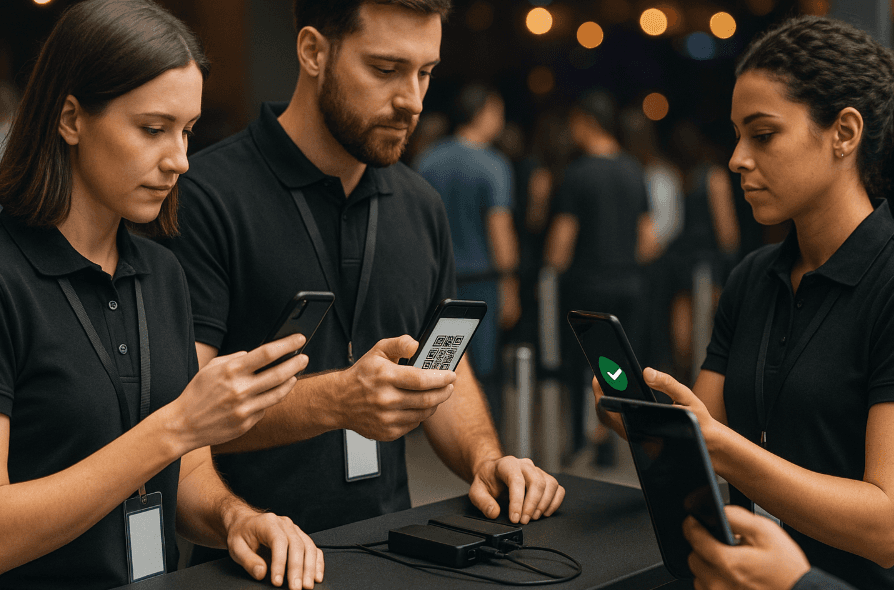
✅ Automatic QR system

  • Verify QR generation: Make a test purchase and confirm that the QR is automatically sent to the email

  • Test scanning with validation app: Scan the test QR to verify the system recognizes it

  • Check offline functionality: Put the phone in airplane mode and check that the validation app still works

Why it matters: On the day of the event, the QR system is your only access control tool. If it fails, it generates queues, conflicts, and a bad experience. Furthermore, the QR system ensures that only authorized attendees enter the event, ensuring effective access control.

Commercial and conversion verifications

These points determine whether your commercial setup maximizes ticket sales or leaves money on the table. Additionally, it is essential to include well-planned marketing actions to boost ticket sales and achieve event objectives.

✅ Pricing and capacity settings

  • Verify ticket prices by type: Confirm that each sector/category has the correct price

  • Check maximum capacities: Make sure not to sell more tickets than the venue allows

  • Review early bird prices if applicable: If offering an early purchase discount, verify the cutoff date

  • Test discount codes: If you created promotional codes, make sure they work correctly

Before launching sales, it is essential to review all aspects related to pricing and capacities to avoid errors and ensure the event's success.

✅ Branding and visual design

  • Optimized cover image: Should look good on desktop and mobile, max weight 200KB for quick loading

  • Consistent color palette: Your white-label ticketing system should reflect the visual identity of the event

  • No text errors: Check spelling in title, description, terms, and conditions

  • Clear call-to-action: The buy button should be visible, contrasting, and say “Buy Tickets” (not confusing phrases)

Why it matters: Complete branding of your event generates trust and differentiates your production from amateur events. Therefore, every visual detail counts to create a memorable experience.

✅ Email marketing and automatic remarketing

  • Email sequences set: Confirm that confirmation, reminder, and post-event emails are active

  • Remarketing pixels installed: If using Facebook/Instagram Ads, verify that the pixels are capturing visits

  • AI cart recovery active: Ensure the automatic AI remarketing system is working

To maximize the reach of your checklist, complement email marketing with social media campaigns, such as on Facebook, Instagram, and LinkedIn, to promote the event and increase participation.

Why it matters: AI automatic remarketing can recover between 10-20% of sales lost due to abandoned carts without manual effort.

Operational verifications on the day of the event

Even if the event is weeks away, it is important to set up these points from the start. If possible, it's also advisable to prepare backup devices or alternative connections to avoid issues on the event day.

✅ Team prepared for validation

  • Validation app installed: Download and test the mobile app on the devices that will validate tickets on the event day

  • Multiple devices set up: If expecting high volume, prepare 2-3 phones validating simultaneously

  • Internet and offline plan B: Although the app works offline, have a connectivity backup plan

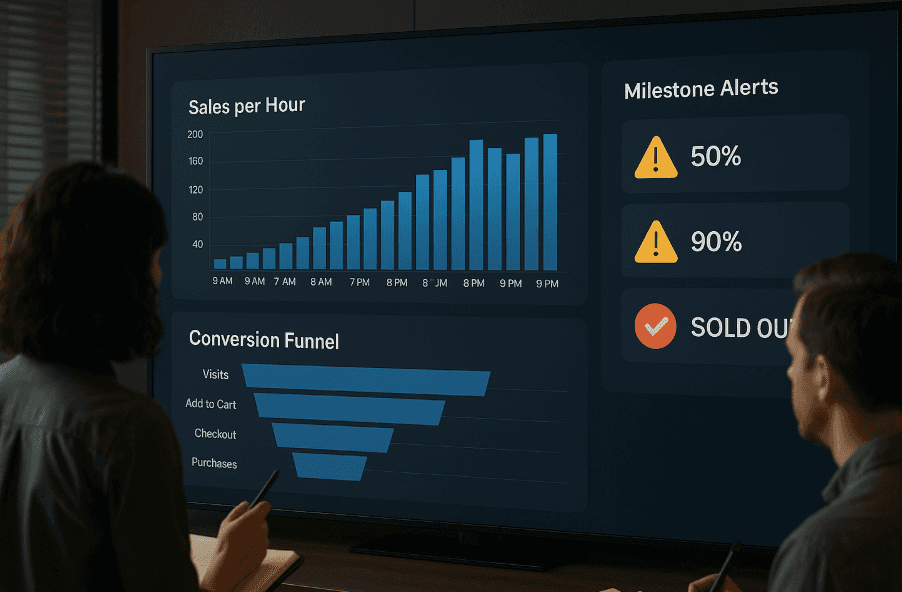
✅ Real-time dashboard monitored

  • Access to the dashboard confirmed: Verify that you can see real-time metrics from any device

  • Alerts set up: Activate notifications for key milestones (50% sold, 90% sold, sold out)

  • Team access: Ensure relevant people have permissions to view reports

Why it matters: The real-time dashboard allows you to make informed decisions during sales: adjust campaigns, extend capacity, activate promotions. Furthermore, making informed decisions is more likely with real-time metrics.

Communication and dissemination verifications

The best technical setup means nothing if the link doesn't reach the public correctly. Sharing the sales link on social media is essential to maximize reach and ensure more people know about your event.

✅ Correct sales link

  • Copy exact URL: Note down the final URL you will share (tickets.yourevent.com or as applicable)

  • Test link in incognito: Check that it works without being logged in, simulating a new user. It's crucial to review the link and what happens if there's an error: you could lose sales or confuse attendees.

  • Shorten if necessary: If the link is long, use a shortener (bit.ly) for social media

✅ Dissemination materials ready

  • Social media posts scheduled: Have content ready to publish exactly when sales open

  • Email to database: If you have a pre-existing list, prepare the launch email with a direct link

  • Stories with direct link: On Instagram, ensure you have an active link in bio or Stories if you have more than 10K followers

  • Include information about a new product: If the event involves launching a new product, make sure it's highlighted in all promotional materials to generate interest.

✅ Clear launch message

  • Explicit open date and time: “Sales open TODAY at 18:00” is better than “coming soon”

  • Direct call-to-action: “Buy your ticket here” with visible link

  • Essential information above: Price, event date, location — without scrolling

Why it matters: A clear and direct launch message helps capture attention and guides the user towards purchase. Since a clear message avoids confusion and improves conversion, it's essential that the main information is visible and easy to understand.

Event logistics: ensuring on-site experience

Event logistics is one of the pillars for everything to run smoothly on the event day. Good logistical planning involves coordinating from the transport of equipment to space arrangement, including signage and accessibility for attendees. For example, ensuring the event venue has clear access routes and sufficient parking can make a difference in guest experience. Don't forget to check details like restroom locations, hydration points, and rest areas. Planning these aspects should start in advance, involving all providers and stakeholders, so on the event day, each element is in place, and attendees only have to enjoy. Remember: well-executed logistics are invisible to guests but essential for event success.

Safety and health: protocols and prevention for the event

The safety and health of attendees should be at the top of your event checklist. Planning clear protocols is crucial to minimize risks and ensure everyone enjoys without worries. This includes having trained security personnel, surveillance systems, and a well-communicated emergency plan. For example, it's important to define evacuation routes and ensure all attendees know how to act in case of an emergency. Don't neglect the presence of medical or first-aid services on site, and ensure accesses are free and signposted. Planning safety and health not only protects attendees but also reinforces the professional image of your event. Remember: prevention is the best investment to ensure everything goes well on the event day.

Guest management: control and personalized attention

Guest management is key so that all attendees live a personalized and seamless experience. In event planning, it's essential to maintain precise control of the guest list and tickets, ensuring each person receives necessary information before, during, and after the event. For example, you can use automated systems to send reminders, updates, or even personalized welcome messages. This not only improves attendance but also increases guest satisfaction. Additionally, consider accessibility and inclusion, adapting the experience so everyone can fully participate. Efficient guest management allows anticipating needs, resolving queries in real-time, and ensuring every attendee feels valued from the first contact to the event closure.

Catering and beverages: checklist for the gastronomic offer

Catering and beverages are elements that can elevate your event experience and leave a lasting impression on attendees. Planning the gastronomic offer should start with selecting reliable suppliers and defining varied menus considering the preferences and dietary restrictions of all guests. For example, it's important to offer vegetarian, vegan, and gluten-free options as well as non-alcoholic drinks, so no one is left out. Check the quality and presentation of each dish and drink, and coordinate with suppliers the service timings to avoid delays on the event day. An effective checklist should include quantity confirmation, delivery logistics, and the arrangement of food and beverage spaces. Remember: well-planned catering ensures attendees enjoy and remember your event for the best reasons.

Activities and entertainment: plan the complete experience

Activities and entertainment are at the heart of the event experience. Good planning of activities ensures that attendees stay engaged and enjoy every moment. Include varied options in your checklist, like live music, DJs, interactive games, or contests, tailored to your audience profile. For example, you can organize raffles, workshops, or networking spaces to encourage participation and interaction among attendees. It's important to coordinate the timings and logistics of each activity so everything flows seamlessly. Also, ensure the entertainment is accessible to everyone and aligned with the event theme. A well-executed activity plan can transform a common event into an unforgettable experience, so dedicate time to this key planning aspect.

Common mistakes that ruin ticket sales launch
errores comunes

Even experienced organizers make these mistakes and more that can affect the launch. Learning from them saves you trouble.

Mistake 1: Not doing a full test purchase

Symptom: You've set everything up from the dashboard but never executed a real purchase from start to finish.

Consequence: On launch day, you find out that Mercado Pago isn't properly integrated, or the confirmation email doesn't arrive, or the QR doesn't generate.

Solution: Always, always, ALWAYS make a real test purchase 24-48 hours before the official launch. Buy with your own card (even for a minimal amount), complete the flow, verify you receive the email and that the QR works. It's the only way to be sure.

Mistake 2: Forgetting to optimize for mobile

Symptom: You checked everything from your laptop but didn't test on a phone.

Consequence: 70% of your traffic comes from smartphones and finds the checkout uncomfortable, buttons too small, the image not displaying correctly.

Solution: Test the complete flow on at least 2 real phones (iPhone and Android). If you don't have both, ask someone from your team. Mobile-first checkout isn't optional in 2025.

Mistake 3: Sharing link before verifying

Symptom: Enthusiasm for launching leads you to share the link immediately after setup.

Consequence: Early users find errors, get frustrated, abandon, and possibly don't return.

Solution: Resist the temptation. Complete the entire checklist, do the test purchase, verify everything, and ONLY THEN share publicly.

Mistake 4: Not configuring remarketing from the start

Symptom: Decide to "deal with remarketing later," launch without installed pixels.

Consequence: Lose all initial traffic for remarketing. Those first visitors who didn't buy are lost forever, you can't impact them with ads later.

Solution: Set up automatic AI remarketing from day one. Every visit without purchase is a recovery opportunity if you have the system active.

Mistake 5: Poorly configured custom domain

Symptom: You want to sell from tickets.yourevent.com but something in the DNS setup failed, and the link doesn't resolve.

Consequence: Broken link during launch. Bouncing traffic. Loss of credibility.

Solution: Set up the custom domain 48-72 hours in advance. DNS changes can take time. Verify it works well before D-day.

Mistake 6: Database without necessary fields

Symptom: You didn't set custom fields in the checkout and only capture email.

Consequence: After the event, you find out you needed to capture phone, company, position, or any other data, but it's too late.

Solution: Before launching, think about what information you need from attendees and set those fields in the checkout. The 100% owned and exportable database is only useful if you captured the correct data from the start.

How Fanz resolves each point of the ticket sales checklist
fanz analisis

Fanz is designed specifically for professional organizers to launch online ticket sales without relying on external technical teams. Fanz's solutions are applicable for events of any type, facilitating management and organization at every phase. Here's how the platform resolves the critical checklist points:

White-label ticketing system with real custom domain

When you create your event on Fanz, you get your own domain (example: tickets.yourevent.com.ar). It is not a generic subdomain like platform.com/event/12345, it's your real URL.

What it means in practice:

  • You set a DNS record pointing to Fanz's infrastructure

  • SSL certificate is generated automatically

  • The buyer sees your brand at all times, never the Fanz brand

  • You accumulate SEO authority on your own domain

  • You install your own remarketing pixels without restrictions

This resolves the checklist point: "Custom domain configuration" without the need for custom development.

Direct Mercado Pago to the organizer

The integration with Mercado Pago is native and direct. You connect your Mercado Pago account once, and from there:

  • Each sale is processed directly through your account

  • The money is credited to your Mercado Pago wallet within the normal commercial timeframes (7-10 days)

  • Fanz does not act as a financial intermediary that retains funds

  • You see all transactions in your Mercado Pago panel

  • The buyer trusts because they see the Mercado Pago seal at checkout

This resolves the point: "Mercado Pago integration" with immediate liquidity and total transparency.

Mobile-first checkout that converts

Fanz's checkout is specifically designed for conversion on smartphones:

  • Loads in less than 2 seconds on 4G connections

  • Forms with intelligent autocomplete

  • Large, tactile buttons, optimized for thumbs

  • 3-step process: choose ticket → minimal data → pay

  • Perfect responsive design (no horizontal zoom, or cut elements)

This resolves the point: "Mobile-first optimized checkout" without needing to hire a frontend developer.

Automatic QR with real-time validation

Each ticket automatically generates a unique QR code that is sent to the buyer's email immediately after purchase.

The system includes:

  • Mobile app (iOS/Android) to scan QR on the event day

  • Validation that works offline (critical if the venue's WiFi fails)

  • Automatically marks each QR as "already entered" to prevent duplicates

  • Displays buyer information when scanning (name, ticket type, sector)

  • Real-time attendance panel during the event

This resolves the point: "Automatic QR system" with professional access control tools.

Complete and customizable branding

From the Fanz panel, you set up:

  • Institutional colors of the event

  • Logos and cover images

  • Fonts

  • Confirmation email design with your branding

  • Custom footer and terms

The result: a buying experience that seems internally developed by your team, not "rented" from a generic ticketing system.

This resolves the point: "Branding and visual design" maintaining total coherence in the event's identity.

Integrated and automatic email marketing

Fanz includes automated email marketing sequences:

  • Purchase confirmation email (immediate)

  • Reminder 48 hours before the event

  • Access and logistics instructions

  • Optional post-event survey

You can personalize every message with dynamic variables (buyer name, ticket type, event date). The sequences are configured once and replicate automatically for each event.

This resolves the point: "Email marketing and automatic remarketing" without needing Mailchimp or external tools.

Remarketing with AI

Fanz's AI remarketing system works like this:

  1. Detects users who visited the sales page but didn't complete purchase

  2. Automatically creates personalized audiences on Facebook/Instagram

  3. Activates remarketing campaigns with optimized messages

  4. Learns what creatives work best according to the event type

All automatic. You only need to have active campaigns on Meta Ads; the AI takes care of recovering abandoned carts.

This resolves the point: "AI cart recovery active" increasing conversion by 10-20% without manual work.

100% owned and exportable database

All buyer data is yours:

  • Unlimited export in CSV/Excel

  • No mixing with other organizers' databases

  • Permanent access even if you stop using Fanz

  • Advanced segmentation for future communications

You can use that database for direct email marketing, create remarketing audiences on social networks, or integrate it with your CRM.

This resolves the point: "Lost or incorrectly captured data" ensuring you build your most valuable asset: your community.

Real-time dashboard with actionable metrics

The Fanz dashboard updates every few seconds and shows:

  • Tickets sold by type

  • Cumulative revenue

  • Traffic by channel (Facebook, Instagram, Google, direct)

  • Checkout conversion rate

  • Attendance projection

  • Automatic alerts (10% tickets left, sold out, etc.)

You can view these data from any device (desktop, tablet, mobile) in real-time while the sale is active.

This resolves the point: "Real-time dashboard monitored" allowing informed decisions instantly.

Conclusion: the checklist as a professionalism tool

The difference between a successful ticket sale and a problematic one isn't luck: it's preparation. This checklist is your protocol for launching with confidence, knowing each technical, commercial, and operational component is verified. It's useful for events of any size or type, ensuring no key detail for success is overlooked.

Critical points you can't ignore:

  1. Make a real test purchase 48 hours before launch

  2. Verify the custom domain works and loads quickly

  3. Test the full checkout on mobile (where 70% of sales occur)

  4. Confirm Mercado Pago is integrated and credits correctly

  5. Activate automatic AI remarketing from the first day

  6. Ensure the QR system works offline for the event day

When you use a white-label ticketing system like Fanz, many of these points are already structurally resolved: mobile-first checkout, direct Mercado Pago integration, automatic QR, real-time dashboard, and 100% owned and exportable database. But you still need to verify your specific configuration before launching.

The checklist isn't bureaucracy: it's the tool that separates professional organizers from improvisers. Each verified point is a potential problem source you eliminated before impacting actual sales.

Your next step is simple:

Print this checklist (or save it to favorites). The next time you are going to launch ticket sales, review each point systematically. When you reach the end without finding problems, only then click “publish” and share the link with confidence.

The success of your event starts here: in the technical preparation that most underestimate and you now master.

Frequently asked questions

How soon before the launch should I start this checklist?

Ideally, start the checklist 48-72 hours before the official ticket sales launch. This gives you room to:

  • Set up the custom domain (DNS changes can take up to 48 hours)

  • Make test purchases and verify everything works

  • Adjust branding and content details

  • Coordinate dissemination materials with your team

If your event has high volume or complex configurations (multiple sectors, tiered pricing), start a week earlier. Never leave the checklist for the launch day itself.

Is it really necessary to make a test purchase or can I trust the panel setup?

It is absolutely necessary. The test purchase is the only reliable method to verify the full flow works:

  • That Mercado Pago is correctly integrated

  • That the confirmation email arrives (and doesn't hit spam)

  • That the QR generates correctly

  • That the amount is credited to your account

Many organizers only discover issues when they make the test purchase. It's a $100 pesos investment that can potentially save thousands in lost sales due to undetected errors.

What if I don't have a custom domain? Can I still sell?

Yes, you can sell without a custom domain using the subdomain assigned by Fanz. However, having a custom domain offers significant advantages:

  • Greater buyer trust (they see your brand, not a generic platform)

  • Better cumulative SEO positioning

  • Total control to install remarketing pixels

  • Consistency in communication (the link you share on networks is your brand)

If your event is recurring or you're building a producer brand, investing in a custom domain ($10-20 USD/year) is highly recommended. If it's a one-time small event, you can start without it.

How do I know if my checkout is really optimized for mobile?

Test it yourself under real conditions:

  1. Open the sales link on your phone (not on a desktop simulator)

  2. Put the phone on 4G (not WiFi, to simulate real connection)

  3. Complete the purchase process from start to finish

  4. Check: did it load quickly? were the buttons easy to touch? Was there zoom or horizontal scroll? did the forms allow autocomplete?

If something was uncomfortable for you, it will be uncomfortable for your buyers. Fanz's mobile-first checkout is specifically designed to eliminate these frictions, but still test it before launching.

Does the QR system work without internet on the event day?

Yes, Fanz's validation app works offline. It downloads the database of sold tickets when there's a connection and can then validate QR even without internet. This is critical because many venues have unstable or overcrowded WiFi on the event day.

Recommendation: Before the event, open the app with internet to download the updated base, and even if you lose connection, you will continue validating without problems.

What do I do if I detect an error after the sale has already launched?

If the error doesn't affect already made sales (e.g., a typo in the description), correct it immediately from the panel. Changes are reflected in real-time on the sales site.

If the error affects existing sales (e.g., incorrect price), you have two options:

  1. Error favoring the buyer: Respect the incorrect price for those who already bought (builds trust) and correct moving forward

  2. Critical error: Temporarily pause the sale, contact affected buyers explaining the situation, offer a solution (refund, upgrade, difference), and relaunch with correction

Fanz allows pausing/reactivating events from the panel without losing the configuration.

Can I modify capacities or prices with the sale already active?

Yes, from the panel you can:

  • Increase capacity if the venue allows (common when there's more demand than expected)

  • Change prices moving forward (previous buyers keep the price they paid)

  • Add new ticket types

  • Activate/deactivate discount codes

Changes apply immediately. This is useful for dynamically adjusting according to sales behavior.

Does AI automatic remarketing require complex technical setup?

No. The system works automatically if you have:

  1. Facebook/Instagram pixel installed on your sales site (Fanz sets it from the panel)

  2. Active campaigns on Meta Ads Manager (they don't need to be specific to the event)

The AI detects users who didn't buy, creates the audiences, and optimizes messages without manual intervention. You only need an active budget in your Meta Ads campaigns.

What information should I include in the first launch email to my database?

The launch email should be concise and actionable:

Subject: [Event Name] — Sales OPEN

Body:

  • Event date and location (above)

  • Direct purchase link (visible button)

  • Prices by ticket type

  • Deadline or limited slots warning (urgency)

  • Event image (not too heavy, loads quickly)

Avoid long paragraphs. People scan in 3 seconds and decide. If they don't see the purchase link immediately, they close the email.

Is it better to launch sales on a weekday or weekend?

It depends on your audience, but in Argentina the data shows:

Massive events (concerts, festivals): Thursday 18-20hs works well. People are wrapping up the workweek, in "weekend plan" mode, with phones in hand.

Corporate/professional events: Tuesday or Wednesday 10-14hs. Your audience is in office hours, with access to a corporate card if applicable.

Parties and clubs: Friday 20-22hs. Your audience is deciding the night's plan, impulsive purchase works.

Avoid early Monday (no one wants to think about events) and Sundays (generally low engagement). Test, measure, and adjust for future events based on your real metrics.

How long before an event should I open online ticket sales?

The optimal timing depends on the event type. For massive events (concerts of well-known artists, festivals), open sales 2-3 months in advance to capitalize on anticipation and allow planned purchases. For niche or corporate events, 3-6 weeks is enough. For parties and recurring club events, 1-2 weeks work for impulsive purchases. The key is balancing anticipation (time to disseminate) vs. urgency (limited slots). With a real-time panel on a white-label ticketing system, you can monitor the sales pace and dynamically adjust communication strategy.

How to prevent my ticket sales system from crashing when there is a lot of simultaneous traffic?

The technical architecture is determinant. Modern platforms like Fanz use cloud infrastructure that automatically scales according to demand: whether 50 users log in or 5000, the system dynamically assigns resources. What DOES NOT work are traditional servers with fixed capacity. Additionally, a fast and optimized checkout reduces the time each user "occupies" in the system, allowing for greater throughput. Before the launch of massive events, inform your platform that you expect high traffic so they can pre-scale if necessary. And critical: test with test purchases to detect bottlenecks before the real launch.

What is the difference between selling tickets with your own domain vs. using a generic platform link?

Your own domain (tickets.yourevent.com) vs. generic (platform.com/event/12345) has multiple impacts: Trust: The user perceives they are buying directly from the organizer, not an intermediary. Branding: Every interaction reinforces your brand, not the ticketing system's. SEO: Build authority on your domain, useful for recurring events. Remarketing: Install your own pixels without platform restrictions. Professionalism: Your domain projects seriousness; a generic one seems amateur. Long-term, if you organize multiple events, the owned domain is an asset that gains value with each sale.

How do I know if my ticketing system is actually integrated with Mercado Pago or just processing through them?

Look where the money goes. Direct Integration: The funds go from Mercado Pago to your account; the platform doesn't touch the money, just facilitates the transaction technically. Accreditation in 7-10 days (Mercado Pago commercial terms). Intermediated Processing: The money goes first to the platform's account, they retain it for days/weeks, and then "pay you." Accreditation in 15-60 days. Explicitly ask: "Does the money go directly to my Mercado Pago account or through you first?" If the answer is ambiguous, it is likely intermediated. Fanz uses direct integration: you connect your Mercado Pago, the money is yours from minute zero.

What functionalities are truly essential in a ticket sales platform and which are just marketing?

Essentials (without this, it doesn't function professionally): Mobile-optimized checkout (70% of traffic), native Mercado Pago integration (dominant payment method in Argentina), automatic QR system that works offline (access control), real-time panel (informed decisions), exportable database (your most valuable asset). Very useful (significantly increase conversion): Own domain and white-label ticketing system (trust and branding), AI automatic remarketing (recovers 10-20% lost sales), integrated email marketing (communication without external tools). Marketing without substance: "Artificial intelligence" without specifying what it does, "coming soon" on critical features, "24/7 support" that is actually a generic chatbot. Always ask: "Does this function TODAY or is it on the roadmap?"

Ticket Sales Checklist: What to Review Before Launching with Fanz

checklist tickets

The ticket sales launch is one of the most critical moments in the production of any event. An incorrect setup, a checkout that fails, or a poorly shared link can cost you sales, credibility, and hours of urgent corrections. Having a task list is essential to ensure no details are overlooked in ticket sales and to make sure the whole process is well-organized. This technical checklist helps you review all the essential points before opening online ticket sales, minimizing errors and maximizing conversion from the first minute.

What "ticket sales checklist" means and why it matters

A ticket sales checklist is a systematic list of technical, commercial, and operational verifications that every organizer must complete before activating the public link for their event. It is not a simple visual check: it is a protocol that ensures every component of the sales system works correctly, from custom domain configuration to Mercado Pago integration.

In the Argentine context, where competition for public attention is fierce, and traffic peaks during launches can reach thousands of simultaneous users, a configuration error can mean:

  • Loss of initial momentum: If the checkout fails in the first few hours, the viral effect fades

  • Abandoned carts due to technical friction: A confusing or slow buying process kills conversion

  • Payment accreditation problems: If Mercado Pago isn't set up properly, buyers don't receive confirmation

  • Inconsistent branding: If you use a generic domain instead of your own, you weaken the event's identity

  • Lost or incorrectly captured data: Incorrect fields mean a useless database

That's why a sales checklist is a key tool in event planning, as it allows you to anticipate and avoid these critical errors at every stage of the process.

The difference between professional and amateur organizers is noticeable precisely here: professionals don't improvise on the launch day, they execute a verified checklist.

Search intent

When an organizer searches for “ticket sales checklist,” they are at a specific moment in the production cycle: they already have a date, have hired the venue, closed the event's lineup or content, and now need to ensure the technical sales part works perfectly.

What they really need:

  1. A list of actionable steps: Not theory, but concrete points that can be verified one by one

  2. Avoid costly mistakes: Learn from others' experiences to avoid common problems

  3. Ensure optimized conversion from the first minute: Make sure that each visit has the maximum probability of converting

  4. Technical confidence: Knowing that when sharing the link, everything will work

  5. Implementation speed: No time for debugging, needs to launch now

This article responds precisely to that intent: it is the technical checklist you can follow before launching ticket sales with your white-label ticketing system, ensuring every component is ready.

Actionable checklist: what to review before launching ticket sales

analisis de ventas

Technical verifications before launch

These are the non-negotiable technical points that determine if your online ticket sales system works correctly. Moreover, it is essential to have reliable technology to ensure the ticket sales system functions smoothly.

✅ Custom domain configuration

  • Verify that the custom domain is active: If you sell from tickets.yourevent.com, test the link in an incognito browser to confirm it resolves correctly

  • SSL certificate working: The green security lock must appear; without HTTPS, modern browsers alert the user and kill trust

  • Correct redirections: If you have multiple URLs (with www, without www), they must all lead to the same canonical version

  • Loading speed: The site must load in less than 2 seconds on mobile devices; any delay increases abandonment

Why it matters: Selling from your own domain instead of generic subdomains reinforces the event's identity and builds trust. A user who sees yourevent.com/tickets trusts more than one who sees generic-platform.com/event/12345. Furthermore, configuration issues may arise if the domain is not verified in advance.

✅ Mercado Pago integration

  • Correctly linked account: Verify in the dashboard that your Mercado Pago account is connected and active

  • Make a test purchase: Execute a real transaction with a minimum amount to confirm the entire flow works

  • Verify accreditation: Confirm that the test payment is credited to your Mercado Pago account

  • Ensure all options are displayed (card, debit, cash, installments)

Why it matters: Direct Mercado Pago to the organizer is crucial for liquidity. If the integration fails, you lose critical sales in the first hours of launch.

✅ Mobile-first optimized checkout

  • Test on real devices: Check the full flow on iPhone and Android, not just simulators

  • Forms with autocomplete: Fields must allow browser autocomplete to speed up the purchase

  • Large touch buttons: On mobile, action buttons must be easy to touch without zooming

  • Max 3-step process: More steps mean more abandonment; the ideal is: select ticket → data → pay

  • Test checkout on different devices and at different times: Ensure it works correctly regardless of the time, to avoid unexpected issues during sales.

Why it matters: Over 70% of ticket purchases in Argentina are made from smartphones. A checkout that doesn't work perfectly on mobile kills your conversion.

✅ Automatic QR system

  • Verify QR generation: Make a test purchase and confirm that the QR is automatically sent to the email

  • Test scanning with validation app: Scan the test QR to verify the system recognizes it

  • Check offline functionality: Put the phone in airplane mode and check that the validation app still works

Why it matters: On the day of the event, the QR system is your only access control tool. If it fails, it generates queues, conflicts, and a bad experience. Furthermore, the QR system ensures that only authorized attendees enter the event, ensuring effective access control.

Commercial and conversion verifications

These points determine whether your commercial setup maximizes ticket sales or leaves money on the table. Additionally, it is essential to include well-planned marketing actions to boost ticket sales and achieve event objectives.

✅ Pricing and capacity settings

  • Verify ticket prices by type: Confirm that each sector/category has the correct price

  • Check maximum capacities: Make sure not to sell more tickets than the venue allows

  • Review early bird prices if applicable: If offering an early purchase discount, verify the cutoff date

  • Test discount codes: If you created promotional codes, make sure they work correctly

Before launching sales, it is essential to review all aspects related to pricing and capacities to avoid errors and ensure the event's success.

✅ Branding and visual design

  • Optimized cover image: Should look good on desktop and mobile, max weight 200KB for quick loading

  • Consistent color palette: Your white-label ticketing system should reflect the visual identity of the event

  • No text errors: Check spelling in title, description, terms, and conditions

  • Clear call-to-action: The buy button should be visible, contrasting, and say “Buy Tickets” (not confusing phrases)

Why it matters: Complete branding of your event generates trust and differentiates your production from amateur events. Therefore, every visual detail counts to create a memorable experience.

✅ Email marketing and automatic remarketing

  • Email sequences set: Confirm that confirmation, reminder, and post-event emails are active

  • Remarketing pixels installed: If using Facebook/Instagram Ads, verify that the pixels are capturing visits

  • AI cart recovery active: Ensure the automatic AI remarketing system is working

To maximize the reach of your checklist, complement email marketing with social media campaigns, such as on Facebook, Instagram, and LinkedIn, to promote the event and increase participation.

Why it matters: AI automatic remarketing can recover between 10-20% of sales lost due to abandoned carts without manual effort.

Operational verifications on the day of the event

Even if the event is weeks away, it is important to set up these points from the start. If possible, it's also advisable to prepare backup devices or alternative connections to avoid issues on the event day.

✅ Team prepared for validation

  • Validation app installed: Download and test the mobile app on the devices that will validate tickets on the event day

  • Multiple devices set up: If expecting high volume, prepare 2-3 phones validating simultaneously

  • Internet and offline plan B: Although the app works offline, have a connectivity backup plan

✅ Real-time dashboard monitored

  • Access to the dashboard confirmed: Verify that you can see real-time metrics from any device

  • Alerts set up: Activate notifications for key milestones (50% sold, 90% sold, sold out)

  • Team access: Ensure relevant people have permissions to view reports

Why it matters: The real-time dashboard allows you to make informed decisions during sales: adjust campaigns, extend capacity, activate promotions. Furthermore, making informed decisions is more likely with real-time metrics.

Communication and dissemination verifications

The best technical setup means nothing if the link doesn't reach the public correctly. Sharing the sales link on social media is essential to maximize reach and ensure more people know about your event.

✅ Correct sales link

  • Copy exact URL: Note down the final URL you will share (tickets.yourevent.com or as applicable)

  • Test link in incognito: Check that it works without being logged in, simulating a new user. It's crucial to review the link and what happens if there's an error: you could lose sales or confuse attendees.

  • Shorten if necessary: If the link is long, use a shortener (bit.ly) for social media

✅ Dissemination materials ready

  • Social media posts scheduled: Have content ready to publish exactly when sales open

  • Email to database: If you have a pre-existing list, prepare the launch email with a direct link

  • Stories with direct link: On Instagram, ensure you have an active link in bio or Stories if you have more than 10K followers

  • Include information about a new product: If the event involves launching a new product, make sure it's highlighted in all promotional materials to generate interest.

✅ Clear launch message

  • Explicit open date and time: “Sales open TODAY at 18:00” is better than “coming soon”

  • Direct call-to-action: “Buy your ticket here” with visible link

  • Essential information above: Price, event date, location — without scrolling

Why it matters: A clear and direct launch message helps capture attention and guides the user towards purchase. Since a clear message avoids confusion and improves conversion, it's essential that the main information is visible and easy to understand.

Event logistics: ensuring on-site experience

Event logistics is one of the pillars for everything to run smoothly on the event day. Good logistical planning involves coordinating from the transport of equipment to space arrangement, including signage and accessibility for attendees. For example, ensuring the event venue has clear access routes and sufficient parking can make a difference in guest experience. Don't forget to check details like restroom locations, hydration points, and rest areas. Planning these aspects should start in advance, involving all providers and stakeholders, so on the event day, each element is in place, and attendees only have to enjoy. Remember: well-executed logistics are invisible to guests but essential for event success.

Safety and health: protocols and prevention for the event

The safety and health of attendees should be at the top of your event checklist. Planning clear protocols is crucial to minimize risks and ensure everyone enjoys without worries. This includes having trained security personnel, surveillance systems, and a well-communicated emergency plan. For example, it's important to define evacuation routes and ensure all attendees know how to act in case of an emergency. Don't neglect the presence of medical or first-aid services on site, and ensure accesses are free and signposted. Planning safety and health not only protects attendees but also reinforces the professional image of your event. Remember: prevention is the best investment to ensure everything goes well on the event day.

Guest management: control and personalized attention

Guest management is key so that all attendees live a personalized and seamless experience. In event planning, it's essential to maintain precise control of the guest list and tickets, ensuring each person receives necessary information before, during, and after the event. For example, you can use automated systems to send reminders, updates, or even personalized welcome messages. This not only improves attendance but also increases guest satisfaction. Additionally, consider accessibility and inclusion, adapting the experience so everyone can fully participate. Efficient guest management allows anticipating needs, resolving queries in real-time, and ensuring every attendee feels valued from the first contact to the event closure.

Catering and beverages: checklist for the gastronomic offer

Catering and beverages are elements that can elevate your event experience and leave a lasting impression on attendees. Planning the gastronomic offer should start with selecting reliable suppliers and defining varied menus considering the preferences and dietary restrictions of all guests. For example, it's important to offer vegetarian, vegan, and gluten-free options as well as non-alcoholic drinks, so no one is left out. Check the quality and presentation of each dish and drink, and coordinate with suppliers the service timings to avoid delays on the event day. An effective checklist should include quantity confirmation, delivery logistics, and the arrangement of food and beverage spaces. Remember: well-planned catering ensures attendees enjoy and remember your event for the best reasons.

Activities and entertainment: plan the complete experience

Activities and entertainment are at the heart of the event experience. Good planning of activities ensures that attendees stay engaged and enjoy every moment. Include varied options in your checklist, like live music, DJs, interactive games, or contests, tailored to your audience profile. For example, you can organize raffles, workshops, or networking spaces to encourage participation and interaction among attendees. It's important to coordinate the timings and logistics of each activity so everything flows seamlessly. Also, ensure the entertainment is accessible to everyone and aligned with the event theme. A well-executed activity plan can transform a common event into an unforgettable experience, so dedicate time to this key planning aspect.

Common mistakes that ruin ticket sales launch

errores comunes

Even experienced organizers make these mistakes and more that can affect the launch. Learning from them saves you trouble.

Mistake 1: Not doing a full test purchase

Symptom: You've set everything up from the dashboard but never executed a real purchase from start to finish.

Consequence: On launch day, you find out that Mercado Pago isn't properly integrated, or the confirmation email doesn't arrive, or the QR doesn't generate.

Solution: Always, always, ALWAYS make a real test purchase 24-48 hours before the official launch. Buy with your own card (even for a minimal amount), complete the flow, verify you receive the email and that the QR works. It's the only way to be sure.

Mistake 2: Forgetting to optimize for mobile

Symptom: You checked everything from your laptop but didn't test on a phone.

Consequence: 70% of your traffic comes from smartphones and finds the checkout uncomfortable, buttons too small, the image not displaying correctly.

Solution: Test the complete flow on at least 2 real phones (iPhone and Android). If you don't have both, ask someone from your team. Mobile-first checkout isn't optional in 2025.

Mistake 3: Sharing link before verifying

Symptom: Enthusiasm for launching leads you to share the link immediately after setup.

Consequence: Early users find errors, get frustrated, abandon, and possibly don't return.

Solution: Resist the temptation. Complete the entire checklist, do the test purchase, verify everything, and ONLY THEN share publicly.

Mistake 4: Not configuring remarketing from the start

Symptom: Decide to "deal with remarketing later," launch without installed pixels.

Consequence: Lose all initial traffic for remarketing. Those first visitors who didn't buy are lost forever, you can't impact them with ads later.

Solution: Set up automatic AI remarketing from day one. Every visit without purchase is a recovery opportunity if you have the system active.

Mistake 5: Poorly configured custom domain

Symptom: You want to sell from tickets.yourevent.com but something in the DNS setup failed, and the link doesn't resolve.

Consequence: Broken link during launch. Bouncing traffic. Loss of credibility.

Solution: Set up the custom domain 48-72 hours in advance. DNS changes can take time. Verify it works well before D-day.

Mistake 6: Database without necessary fields

Symptom: You didn't set custom fields in the checkout and only capture email.

Consequence: After the event, you find out you needed to capture phone, company, position, or any other data, but it's too late.

Solution: Before launching, think about what information you need from attendees and set those fields in the checkout. The 100% owned and exportable database is only useful if you captured the correct data from the start.

How Fanz resolves each point of the ticket sales checklist

fanz analisis

Fanz is designed specifically for professional organizers to launch online ticket sales without relying on external technical teams. Fanz's solutions are applicable for events of any type, facilitating management and organization at every phase. Here's how the platform resolves the critical checklist points:

White-label ticketing system with real custom domain

When you create your event on Fanz, you get your own domain (example: tickets.yourevent.com.ar). It is not a generic subdomain like platform.com/event/12345, it's your real URL.

What it means in practice:

  • You set a DNS record pointing to Fanz's infrastructure

  • SSL certificate is generated automatically

  • The buyer sees your brand at all times, never the Fanz brand

  • You accumulate SEO authority on your own domain

  • You install your own remarketing pixels without restrictions

This resolves the checklist point: "Custom domain configuration" without the need for custom development.

Direct Mercado Pago to the organizer

The integration with Mercado Pago is native and direct. You connect your Mercado Pago account once, and from there:

  • Each sale is processed directly through your account

  • The money is credited to your Mercado Pago wallet within the normal commercial timeframes (7-10 days)

  • Fanz does not act as a financial intermediary that retains funds

  • You see all transactions in your Mercado Pago panel

  • The buyer trusts because they see the Mercado Pago seal at checkout

This resolves the point: "Mercado Pago integration" with immediate liquidity and total transparency.

Mobile-first checkout that converts

Fanz's checkout is specifically designed for conversion on smartphones:

  • Loads in less than 2 seconds on 4G connections

  • Forms with intelligent autocomplete

  • Large, tactile buttons, optimized for thumbs

  • 3-step process: choose ticket → minimal data → pay

  • Perfect responsive design (no horizontal zoom, or cut elements)

This resolves the point: "Mobile-first optimized checkout" without needing to hire a frontend developer.

Automatic QR with real-time validation

Each ticket automatically generates a unique QR code that is sent to the buyer's email immediately after purchase.

The system includes:

  • Mobile app (iOS/Android) to scan QR on the event day

  • Validation that works offline (critical if the venue's WiFi fails)

  • Automatically marks each QR as "already entered" to prevent duplicates

  • Displays buyer information when scanning (name, ticket type, sector)

  • Real-time attendance panel during the event

This resolves the point: "Automatic QR system" with professional access control tools.

Complete and customizable branding

From the Fanz panel, you set up:

  • Institutional colors of the event

  • Logos and cover images

  • Fonts

  • Confirmation email design with your branding

  • Custom footer and terms

The result: a buying experience that seems internally developed by your team, not "rented" from a generic ticketing system.

This resolves the point: "Branding and visual design" maintaining total coherence in the event's identity.

Integrated and automatic email marketing

Fanz includes automated email marketing sequences:

  • Purchase confirmation email (immediate)

  • Reminder 48 hours before the event

  • Access and logistics instructions

  • Optional post-event survey

You can personalize every message with dynamic variables (buyer name, ticket type, event date). The sequences are configured once and replicate automatically for each event.

This resolves the point: "Email marketing and automatic remarketing" without needing Mailchimp or external tools.

Remarketing with AI

Fanz's AI remarketing system works like this:

  1. Detects users who visited the sales page but didn't complete purchase

  2. Automatically creates personalized audiences on Facebook/Instagram

  3. Activates remarketing campaigns with optimized messages

  4. Learns what creatives work best according to the event type

All automatic. You only need to have active campaigns on Meta Ads; the AI takes care of recovering abandoned carts.

This resolves the point: "AI cart recovery active" increasing conversion by 10-20% without manual work.

100% owned and exportable database

All buyer data is yours:

  • Unlimited export in CSV/Excel

  • No mixing with other organizers' databases

  • Permanent access even if you stop using Fanz

  • Advanced segmentation for future communications

You can use that database for direct email marketing, create remarketing audiences on social networks, or integrate it with your CRM.

This resolves the point: "Lost or incorrectly captured data" ensuring you build your most valuable asset: your community.

Real-time dashboard with actionable metrics

The Fanz dashboard updates every few seconds and shows:

  • Tickets sold by type

  • Cumulative revenue

  • Traffic by channel (Facebook, Instagram, Google, direct)

  • Checkout conversion rate

  • Attendance projection

  • Automatic alerts (10% tickets left, sold out, etc.)

You can view these data from any device (desktop, tablet, mobile) in real-time while the sale is active.

This resolves the point: "Real-time dashboard monitored" allowing informed decisions instantly.

Conclusion: the checklist as a professionalism tool

The difference between a successful ticket sale and a problematic one isn't luck: it's preparation. This checklist is your protocol for launching with confidence, knowing each technical, commercial, and operational component is verified. It's useful for events of any size or type, ensuring no key detail for success is overlooked.

Critical points you can't ignore:

  1. Make a real test purchase 48 hours before launch

  2. Verify the custom domain works and loads quickly

  3. Test the full checkout on mobile (where 70% of sales occur)

  4. Confirm Mercado Pago is integrated and credits correctly

  5. Activate automatic AI remarketing from the first day

  6. Ensure the QR system works offline for the event day

When you use a white-label ticketing system like Fanz, many of these points are already structurally resolved: mobile-first checkout, direct Mercado Pago integration, automatic QR, real-time dashboard, and 100% owned and exportable database. But you still need to verify your specific configuration before launching.

The checklist isn't bureaucracy: it's the tool that separates professional organizers from improvisers. Each verified point is a potential problem source you eliminated before impacting actual sales.

Your next step is simple:

Print this checklist (or save it to favorites). The next time you are going to launch ticket sales, review each point systematically. When you reach the end without finding problems, only then click “publish” and share the link with confidence.

The success of your event starts here: in the technical preparation that most underestimate and you now master.

Frequently asked questions

How soon before the launch should I start this checklist?

Ideally, start the checklist 48-72 hours before the official ticket sales launch. This gives you room to:

  • Set up the custom domain (DNS changes can take up to 48 hours)

  • Make test purchases and verify everything works

  • Adjust branding and content details

  • Coordinate dissemination materials with your team

If your event has high volume or complex configurations (multiple sectors, tiered pricing), start a week earlier. Never leave the checklist for the launch day itself.

Is it really necessary to make a test purchase or can I trust the panel setup?

It is absolutely necessary. The test purchase is the only reliable method to verify the full flow works:

  • That Mercado Pago is correctly integrated

  • That the confirmation email arrives (and doesn't hit spam)

  • That the QR generates correctly

  • That the amount is credited to your account

Many organizers only discover issues when they make the test purchase. It's a $100 pesos investment that can potentially save thousands in lost sales due to undetected errors.

What if I don't have a custom domain? Can I still sell?

Yes, you can sell without a custom domain using the subdomain assigned by Fanz. However, having a custom domain offers significant advantages:

  • Greater buyer trust (they see your brand, not a generic platform)

  • Better cumulative SEO positioning

  • Total control to install remarketing pixels

  • Consistency in communication (the link you share on networks is your brand)

If your event is recurring or you're building a producer brand, investing in a custom domain ($10-20 USD/year) is highly recommended. If it's a one-time small event, you can start without it.

How do I know if my checkout is really optimized for mobile?

Test it yourself under real conditions:

  1. Open the sales link on your phone (not on a desktop simulator)

  2. Put the phone on 4G (not WiFi, to simulate real connection)

  3. Complete the purchase process from start to finish

  4. Check: did it load quickly? were the buttons easy to touch? Was there zoom or horizontal scroll? did the forms allow autocomplete?

If something was uncomfortable for you, it will be uncomfortable for your buyers. Fanz's mobile-first checkout is specifically designed to eliminate these frictions, but still test it before launching.

Does the QR system work without internet on the event day?

Yes, Fanz's validation app works offline. It downloads the database of sold tickets when there's a connection and can then validate QR even without internet. This is critical because many venues have unstable or overcrowded WiFi on the event day.

Recommendation: Before the event, open the app with internet to download the updated base, and even if you lose connection, you will continue validating without problems.

What do I do if I detect an error after the sale has already launched?

If the error doesn't affect already made sales (e.g., a typo in the description), correct it immediately from the panel. Changes are reflected in real-time on the sales site.

If the error affects existing sales (e.g., incorrect price), you have two options:

  1. Error favoring the buyer: Respect the incorrect price for those who already bought (builds trust) and correct moving forward

  2. Critical error: Temporarily pause the sale, contact affected buyers explaining the situation, offer a solution (refund, upgrade, difference), and relaunch with correction

Fanz allows pausing/reactivating events from the panel without losing the configuration.

Can I modify capacities or prices with the sale already active?

Yes, from the panel you can:

  • Increase capacity if the venue allows (common when there's more demand than expected)

  • Change prices moving forward (previous buyers keep the price they paid)

  • Add new ticket types

  • Activate/deactivate discount codes

Changes apply immediately. This is useful for dynamically adjusting according to sales behavior.

Does AI automatic remarketing require complex technical setup?

No. The system works automatically if you have:

  1. Facebook/Instagram pixel installed on your sales site (Fanz sets it from the panel)

  2. Active campaigns on Meta Ads Manager (they don't need to be specific to the event)

The AI detects users who didn't buy, creates the audiences, and optimizes messages without manual intervention. You only need an active budget in your Meta Ads campaigns.

What information should I include in the first launch email to my database?

The launch email should be concise and actionable:

Subject: [Event Name] — Sales OPEN

Body:

  • Event date and location (above)

  • Direct purchase link (visible button)

  • Prices by ticket type

  • Deadline or limited slots warning (urgency)

  • Event image (not too heavy, loads quickly)

Avoid long paragraphs. People scan in 3 seconds and decide. If they don't see the purchase link immediately, they close the email.

Is it better to launch sales on a weekday or weekend?

It depends on your audience, but in Argentina the data shows:

Massive events (concerts, festivals): Thursday 18-20hs works well. People are wrapping up the workweek, in "weekend plan" mode, with phones in hand.

Corporate/professional events: Tuesday or Wednesday 10-14hs. Your audience is in office hours, with access to a corporate card if applicable.

Parties and clubs: Friday 20-22hs. Your audience is deciding the night's plan, impulsive purchase works.

Avoid early Monday (no one wants to think about events) and Sundays (generally low engagement). Test, measure, and adjust for future events based on your real metrics.

How long before an event should I open online ticket sales?

The optimal timing depends on the event type. For massive events (concerts of well-known artists, festivals), open sales 2-3 months in advance to capitalize on anticipation and allow planned purchases. For niche or corporate events, 3-6 weeks is enough. For parties and recurring club events, 1-2 weeks work for impulsive purchases. The key is balancing anticipation (time to disseminate) vs. urgency (limited slots). With a real-time panel on a white-label ticketing system, you can monitor the sales pace and dynamically adjust communication strategy.

How to prevent my ticket sales system from crashing when there is a lot of simultaneous traffic?

The technical architecture is determinant. Modern platforms like Fanz use cloud infrastructure that automatically scales according to demand: whether 50 users log in or 5000, the system dynamically assigns resources. What DOES NOT work are traditional servers with fixed capacity. Additionally, a fast and optimized checkout reduces the time each user "occupies" in the system, allowing for greater throughput. Before the launch of massive events, inform your platform that you expect high traffic so they can pre-scale if necessary. And critical: test with test purchases to detect bottlenecks before the real launch.

What is the difference between selling tickets with your own domain vs. using a generic platform link?

Your own domain (tickets.yourevent.com) vs. generic (platform.com/event/12345) has multiple impacts: Trust: The user perceives they are buying directly from the organizer, not an intermediary. Branding: Every interaction reinforces your brand, not the ticketing system's. SEO: Build authority on your domain, useful for recurring events. Remarketing: Install your own pixels without platform restrictions. Professionalism: Your domain projects seriousness; a generic one seems amateur. Long-term, if you organize multiple events, the owned domain is an asset that gains value with each sale.

How do I know if my ticketing system is actually integrated with Mercado Pago or just processing through them?

Look where the money goes. Direct Integration: The funds go from Mercado Pago to your account; the platform doesn't touch the money, just facilitates the transaction technically. Accreditation in 7-10 days (Mercado Pago commercial terms). Intermediated Processing: The money goes first to the platform's account, they retain it for days/weeks, and then "pay you." Accreditation in 15-60 days. Explicitly ask: "Does the money go directly to my Mercado Pago account or through you first?" If the answer is ambiguous, it is likely intermediated. Fanz uses direct integration: you connect your Mercado Pago, the money is yours from minute zero.

What functionalities are truly essential in a ticket sales platform and which are just marketing?

Essentials (without this, it doesn't function professionally): Mobile-optimized checkout (70% of traffic), native Mercado Pago integration (dominant payment method in Argentina), automatic QR system that works offline (access control), real-time panel (informed decisions), exportable database (your most valuable asset). Very useful (significantly increase conversion): Own domain and white-label ticketing system (trust and branding), AI automatic remarketing (recovers 10-20% lost sales), integrated email marketing (communication without external tools). Marketing without substance: "Artificial intelligence" without specifying what it does, "coming soon" on critical features, "24/7 support" that is actually a generic chatbot. Always ask: "Does this function TODAY or is it on the roadmap?"

Ticket Sales Checklist: What to Review Before Launching with Fanz

checklist tickets

The ticket sales launch is one of the most critical moments in the production of any event. An incorrect setup, a checkout that fails, or a poorly shared link can cost you sales, credibility, and hours of urgent corrections. Having a task list is essential to ensure no details are overlooked in ticket sales and to make sure the whole process is well-organized. This technical checklist helps you review all the essential points before opening online ticket sales, minimizing errors and maximizing conversion from the first minute.

What "ticket sales checklist" means and why it matters

A ticket sales checklist is a systematic list of technical, commercial, and operational verifications that every organizer must complete before activating the public link for their event. It is not a simple visual check: it is a protocol that ensures every component of the sales system works correctly, from custom domain configuration to Mercado Pago integration.

In the Argentine context, where competition for public attention is fierce, and traffic peaks during launches can reach thousands of simultaneous users, a configuration error can mean:

  • Loss of initial momentum: If the checkout fails in the first few hours, the viral effect fades

  • Abandoned carts due to technical friction: A confusing or slow buying process kills conversion

  • Payment accreditation problems: If Mercado Pago isn't set up properly, buyers don't receive confirmation

  • Inconsistent branding: If you use a generic domain instead of your own, you weaken the event's identity

  • Lost or incorrectly captured data: Incorrect fields mean a useless database

That's why a sales checklist is a key tool in event planning, as it allows you to anticipate and avoid these critical errors at every stage of the process.

The difference between professional and amateur organizers is noticeable precisely here: professionals don't improvise on the launch day, they execute a verified checklist.

Search intent

When an organizer searches for “ticket sales checklist,” they are at a specific moment in the production cycle: they already have a date, have hired the venue, closed the event's lineup or content, and now need to ensure the technical sales part works perfectly.

What they really need:

  1. A list of actionable steps: Not theory, but concrete points that can be verified one by one

  2. Avoid costly mistakes: Learn from others' experiences to avoid common problems

  3. Ensure optimized conversion from the first minute: Make sure that each visit has the maximum probability of converting

  4. Technical confidence: Knowing that when sharing the link, everything will work

  5. Implementation speed: No time for debugging, needs to launch now

This article responds precisely to that intent: it is the technical checklist you can follow before launching ticket sales with your white-label ticketing system, ensuring every component is ready.

Actionable checklist: what to review before launching ticket sales

analisis de ventas

Technical verifications before launch

These are the non-negotiable technical points that determine if your online ticket sales system works correctly. Moreover, it is essential to have reliable technology to ensure the ticket sales system functions smoothly.

✅ Custom domain configuration

  • Verify that the custom domain is active: If you sell from tickets.yourevent.com, test the link in an incognito browser to confirm it resolves correctly

  • SSL certificate working: The green security lock must appear; without HTTPS, modern browsers alert the user and kill trust

  • Correct redirections: If you have multiple URLs (with www, without www), they must all lead to the same canonical version

  • Loading speed: The site must load in less than 2 seconds on mobile devices; any delay increases abandonment

Why it matters: Selling from your own domain instead of generic subdomains reinforces the event's identity and builds trust. A user who sees yourevent.com/tickets trusts more than one who sees generic-platform.com/event/12345. Furthermore, configuration issues may arise if the domain is not verified in advance.

✅ Mercado Pago integration

  • Correctly linked account: Verify in the dashboard that your Mercado Pago account is connected and active

  • Make a test purchase: Execute a real transaction with a minimum amount to confirm the entire flow works

  • Verify accreditation: Confirm that the test payment is credited to your Mercado Pago account

  • Ensure all options are displayed (card, debit, cash, installments)

Why it matters: Direct Mercado Pago to the organizer is crucial for liquidity. If the integration fails, you lose critical sales in the first hours of launch.

✅ Mobile-first optimized checkout

  • Test on real devices: Check the full flow on iPhone and Android, not just simulators

  • Forms with autocomplete: Fields must allow browser autocomplete to speed up the purchase

  • Large touch buttons: On mobile, action buttons must be easy to touch without zooming

  • Max 3-step process: More steps mean more abandonment; the ideal is: select ticket → data → pay

  • Test checkout on different devices and at different times: Ensure it works correctly regardless of the time, to avoid unexpected issues during sales.

Why it matters: Over 70% of ticket purchases in Argentina are made from smartphones. A checkout that doesn't work perfectly on mobile kills your conversion.

✅ Automatic QR system

  • Verify QR generation: Make a test purchase and confirm that the QR is automatically sent to the email

  • Test scanning with validation app: Scan the test QR to verify the system recognizes it

  • Check offline functionality: Put the phone in airplane mode and check that the validation app still works

Why it matters: On the day of the event, the QR system is your only access control tool. If it fails, it generates queues, conflicts, and a bad experience. Furthermore, the QR system ensures that only authorized attendees enter the event, ensuring effective access control.

Commercial and conversion verifications

These points determine whether your commercial setup maximizes ticket sales or leaves money on the table. Additionally, it is essential to include well-planned marketing actions to boost ticket sales and achieve event objectives.

✅ Pricing and capacity settings

  • Verify ticket prices by type: Confirm that each sector/category has the correct price

  • Check maximum capacities: Make sure not to sell more tickets than the venue allows

  • Review early bird prices if applicable: If offering an early purchase discount, verify the cutoff date

  • Test discount codes: If you created promotional codes, make sure they work correctly

Before launching sales, it is essential to review all aspects related to pricing and capacities to avoid errors and ensure the event's success.

✅ Branding and visual design

  • Optimized cover image: Should look good on desktop and mobile, max weight 200KB for quick loading

  • Consistent color palette: Your white-label ticketing system should reflect the visual identity of the event

  • No text errors: Check spelling in title, description, terms, and conditions

  • Clear call-to-action: The buy button should be visible, contrasting, and say “Buy Tickets” (not confusing phrases)

Why it matters: Complete branding of your event generates trust and differentiates your production from amateur events. Therefore, every visual detail counts to create a memorable experience.

✅ Email marketing and automatic remarketing

  • Email sequences set: Confirm that confirmation, reminder, and post-event emails are active

  • Remarketing pixels installed: If using Facebook/Instagram Ads, verify that the pixels are capturing visits

  • AI cart recovery active: Ensure the automatic AI remarketing system is working

To maximize the reach of your checklist, complement email marketing with social media campaigns, such as on Facebook, Instagram, and LinkedIn, to promote the event and increase participation.

Why it matters: AI automatic remarketing can recover between 10-20% of sales lost due to abandoned carts without manual effort.

Operational verifications on the day of the event

Even if the event is weeks away, it is important to set up these points from the start. If possible, it's also advisable to prepare backup devices or alternative connections to avoid issues on the event day.

✅ Team prepared for validation

  • Validation app installed: Download and test the mobile app on the devices that will validate tickets on the event day

  • Multiple devices set up: If expecting high volume, prepare 2-3 phones validating simultaneously

  • Internet and offline plan B: Although the app works offline, have a connectivity backup plan

✅ Real-time dashboard monitored

  • Access to the dashboard confirmed: Verify that you can see real-time metrics from any device

  • Alerts set up: Activate notifications for key milestones (50% sold, 90% sold, sold out)

  • Team access: Ensure relevant people have permissions to view reports

Why it matters: The real-time dashboard allows you to make informed decisions during sales: adjust campaigns, extend capacity, activate promotions. Furthermore, making informed decisions is more likely with real-time metrics.

Communication and dissemination verifications

The best technical setup means nothing if the link doesn't reach the public correctly. Sharing the sales link on social media is essential to maximize reach and ensure more people know about your event.

✅ Correct sales link

  • Copy exact URL: Note down the final URL you will share (tickets.yourevent.com or as applicable)

  • Test link in incognito: Check that it works without being logged in, simulating a new user. It's crucial to review the link and what happens if there's an error: you could lose sales or confuse attendees.

  • Shorten if necessary: If the link is long, use a shortener (bit.ly) for social media

✅ Dissemination materials ready

  • Social media posts scheduled: Have content ready to publish exactly when sales open

  • Email to database: If you have a pre-existing list, prepare the launch email with a direct link

  • Stories with direct link: On Instagram, ensure you have an active link in bio or Stories if you have more than 10K followers

  • Include information about a new product: If the event involves launching a new product, make sure it's highlighted in all promotional materials to generate interest.

✅ Clear launch message

  • Explicit open date and time: “Sales open TODAY at 18:00” is better than “coming soon”

  • Direct call-to-action: “Buy your ticket here” with visible link

  • Essential information above: Price, event date, location — without scrolling

Why it matters: A clear and direct launch message helps capture attention and guides the user towards purchase. Since a clear message avoids confusion and improves conversion, it's essential that the main information is visible and easy to understand.

Event logistics: ensuring on-site experience

Event logistics is one of the pillars for everything to run smoothly on the event day. Good logistical planning involves coordinating from the transport of equipment to space arrangement, including signage and accessibility for attendees. For example, ensuring the event venue has clear access routes and sufficient parking can make a difference in guest experience. Don't forget to check details like restroom locations, hydration points, and rest areas. Planning these aspects should start in advance, involving all providers and stakeholders, so on the event day, each element is in place, and attendees only have to enjoy. Remember: well-executed logistics are invisible to guests but essential for event success.

Safety and health: protocols and prevention for the event

The safety and health of attendees should be at the top of your event checklist. Planning clear protocols is crucial to minimize risks and ensure everyone enjoys without worries. This includes having trained security personnel, surveillance systems, and a well-communicated emergency plan. For example, it's important to define evacuation routes and ensure all attendees know how to act in case of an emergency. Don't neglect the presence of medical or first-aid services on site, and ensure accesses are free and signposted. Planning safety and health not only protects attendees but also reinforces the professional image of your event. Remember: prevention is the best investment to ensure everything goes well on the event day.

Guest management: control and personalized attention

Guest management is key so that all attendees live a personalized and seamless experience. In event planning, it's essential to maintain precise control of the guest list and tickets, ensuring each person receives necessary information before, during, and after the event. For example, you can use automated systems to send reminders, updates, or even personalized welcome messages. This not only improves attendance but also increases guest satisfaction. Additionally, consider accessibility and inclusion, adapting the experience so everyone can fully participate. Efficient guest management allows anticipating needs, resolving queries in real-time, and ensuring every attendee feels valued from the first contact to the event closure.

Catering and beverages: checklist for the gastronomic offer

Catering and beverages are elements that can elevate your event experience and leave a lasting impression on attendees. Planning the gastronomic offer should start with selecting reliable suppliers and defining varied menus considering the preferences and dietary restrictions of all guests. For example, it's important to offer vegetarian, vegan, and gluten-free options as well as non-alcoholic drinks, so no one is left out. Check the quality and presentation of each dish and drink, and coordinate with suppliers the service timings to avoid delays on the event day. An effective checklist should include quantity confirmation, delivery logistics, and the arrangement of food and beverage spaces. Remember: well-planned catering ensures attendees enjoy and remember your event for the best reasons.

Activities and entertainment: plan the complete experience

Activities and entertainment are at the heart of the event experience. Good planning of activities ensures that attendees stay engaged and enjoy every moment. Include varied options in your checklist, like live music, DJs, interactive games, or contests, tailored to your audience profile. For example, you can organize raffles, workshops, or networking spaces to encourage participation and interaction among attendees. It's important to coordinate the timings and logistics of each activity so everything flows seamlessly. Also, ensure the entertainment is accessible to everyone and aligned with the event theme. A well-executed activity plan can transform a common event into an unforgettable experience, so dedicate time to this key planning aspect.

Common mistakes that ruin ticket sales launch

errores comunes

Even experienced organizers make these mistakes and more that can affect the launch. Learning from them saves you trouble.

Mistake 1: Not doing a full test purchase

Symptom: You've set everything up from the dashboard but never executed a real purchase from start to finish.

Consequence: On launch day, you find out that Mercado Pago isn't properly integrated, or the confirmation email doesn't arrive, or the QR doesn't generate.

Solution: Always, always, ALWAYS make a real test purchase 24-48 hours before the official launch. Buy with your own card (even for a minimal amount), complete the flow, verify you receive the email and that the QR works. It's the only way to be sure.

Mistake 2: Forgetting to optimize for mobile

Symptom: You checked everything from your laptop but didn't test on a phone.

Consequence: 70% of your traffic comes from smartphones and finds the checkout uncomfortable, buttons too small, the image not displaying correctly.

Solution: Test the complete flow on at least 2 real phones (iPhone and Android). If you don't have both, ask someone from your team. Mobile-first checkout isn't optional in 2025.

Mistake 3: Sharing link before verifying

Symptom: Enthusiasm for launching leads you to share the link immediately after setup.

Consequence: Early users find errors, get frustrated, abandon, and possibly don't return.

Solution: Resist the temptation. Complete the entire checklist, do the test purchase, verify everything, and ONLY THEN share publicly.

Mistake 4: Not configuring remarketing from the start

Symptom: Decide to "deal with remarketing later," launch without installed pixels.

Consequence: Lose all initial traffic for remarketing. Those first visitors who didn't buy are lost forever, you can't impact them with ads later.

Solution: Set up automatic AI remarketing from day one. Every visit without purchase is a recovery opportunity if you have the system active.

Mistake 5: Poorly configured custom domain

Symptom: You want to sell from tickets.yourevent.com but something in the DNS setup failed, and the link doesn't resolve.

Consequence: Broken link during launch. Bouncing traffic. Loss of credibility.

Solution: Set up the custom domain 48-72 hours in advance. DNS changes can take time. Verify it works well before D-day.

Mistake 6: Database without necessary fields

Symptom: You didn't set custom fields in the checkout and only capture email.

Consequence: After the event, you find out you needed to capture phone, company, position, or any other data, but it's too late.

Solution: Before launching, think about what information you need from attendees and set those fields in the checkout. The 100% owned and exportable database is only useful if you captured the correct data from the start.

How Fanz resolves each point of the ticket sales checklist

fanz analisis

Fanz is designed specifically for professional organizers to launch online ticket sales without relying on external technical teams. Fanz's solutions are applicable for events of any type, facilitating management and organization at every phase. Here's how the platform resolves the critical checklist points:

White-label ticketing system with real custom domain

When you create your event on Fanz, you get your own domain (example: tickets.yourevent.com.ar). It is not a generic subdomain like platform.com/event/12345, it's your real URL.

What it means in practice:

  • You set a DNS record pointing to Fanz's infrastructure

  • SSL certificate is generated automatically

  • The buyer sees your brand at all times, never the Fanz brand

  • You accumulate SEO authority on your own domain

  • You install your own remarketing pixels without restrictions

This resolves the checklist point: "Custom domain configuration" without the need for custom development.

Direct Mercado Pago to the organizer

The integration with Mercado Pago is native and direct. You connect your Mercado Pago account once, and from there:

  • Each sale is processed directly through your account

  • The money is credited to your Mercado Pago wallet within the normal commercial timeframes (7-10 days)

  • Fanz does not act as a financial intermediary that retains funds

  • You see all transactions in your Mercado Pago panel

  • The buyer trusts because they see the Mercado Pago seal at checkout

This resolves the point: "Mercado Pago integration" with immediate liquidity and total transparency.

Mobile-first checkout that converts

Fanz's checkout is specifically designed for conversion on smartphones:

  • Loads in less than 2 seconds on 4G connections

  • Forms with intelligent autocomplete

  • Large, tactile buttons, optimized for thumbs

  • 3-step process: choose ticket → minimal data → pay

  • Perfect responsive design (no horizontal zoom, or cut elements)

This resolves the point: "Mobile-first optimized checkout" without needing to hire a frontend developer.

Automatic QR with real-time validation

Each ticket automatically generates a unique QR code that is sent to the buyer's email immediately after purchase.

The system includes:

  • Mobile app (iOS/Android) to scan QR on the event day

  • Validation that works offline (critical if the venue's WiFi fails)

  • Automatically marks each QR as "already entered" to prevent duplicates

  • Displays buyer information when scanning (name, ticket type, sector)

  • Real-time attendance panel during the event

This resolves the point: "Automatic QR system" with professional access control tools.

Complete and customizable branding

From the Fanz panel, you set up:

  • Institutional colors of the event

  • Logos and cover images

  • Fonts

  • Confirmation email design with your branding

  • Custom footer and terms

The result: a buying experience that seems internally developed by your team, not "rented" from a generic ticketing system.

This resolves the point: "Branding and visual design" maintaining total coherence in the event's identity.

Integrated and automatic email marketing

Fanz includes automated email marketing sequences:

  • Purchase confirmation email (immediate)

  • Reminder 48 hours before the event

  • Access and logistics instructions

  • Optional post-event survey

You can personalize every message with dynamic variables (buyer name, ticket type, event date). The sequences are configured once and replicate automatically for each event.

This resolves the point: "Email marketing and automatic remarketing" without needing Mailchimp or external tools.

Remarketing with AI

Fanz's AI remarketing system works like this:

  1. Detects users who visited the sales page but didn't complete purchase

  2. Automatically creates personalized audiences on Facebook/Instagram

  3. Activates remarketing campaigns with optimized messages

  4. Learns what creatives work best according to the event type

All automatic. You only need to have active campaigns on Meta Ads; the AI takes care of recovering abandoned carts.

This resolves the point: "AI cart recovery active" increasing conversion by 10-20% without manual work.

100% owned and exportable database

All buyer data is yours:

  • Unlimited export in CSV/Excel

  • No mixing with other organizers' databases

  • Permanent access even if you stop using Fanz

  • Advanced segmentation for future communications

You can use that database for direct email marketing, create remarketing audiences on social networks, or integrate it with your CRM.

This resolves the point: "Lost or incorrectly captured data" ensuring you build your most valuable asset: your community.

Real-time dashboard with actionable metrics

The Fanz dashboard updates every few seconds and shows:

  • Tickets sold by type

  • Cumulative revenue

  • Traffic by channel (Facebook, Instagram, Google, direct)

  • Checkout conversion rate

  • Attendance projection

  • Automatic alerts (10% tickets left, sold out, etc.)

You can view these data from any device (desktop, tablet, mobile) in real-time while the sale is active.

This resolves the point: "Real-time dashboard monitored" allowing informed decisions instantly.

Conclusion: the checklist as a professionalism tool

The difference between a successful ticket sale and a problematic one isn't luck: it's preparation. This checklist is your protocol for launching with confidence, knowing each technical, commercial, and operational component is verified. It's useful for events of any size or type, ensuring no key detail for success is overlooked.

Critical points you can't ignore:

  1. Make a real test purchase 48 hours before launch

  2. Verify the custom domain works and loads quickly

  3. Test the full checkout on mobile (where 70% of sales occur)

  4. Confirm Mercado Pago is integrated and credits correctly

  5. Activate automatic AI remarketing from the first day

  6. Ensure the QR system works offline for the event day

When you use a white-label ticketing system like Fanz, many of these points are already structurally resolved: mobile-first checkout, direct Mercado Pago integration, automatic QR, real-time dashboard, and 100% owned and exportable database. But you still need to verify your specific configuration before launching.

The checklist isn't bureaucracy: it's the tool that separates professional organizers from improvisers. Each verified point is a potential problem source you eliminated before impacting actual sales.

Your next step is simple:

Print this checklist (or save it to favorites). The next time you are going to launch ticket sales, review each point systematically. When you reach the end without finding problems, only then click “publish” and share the link with confidence.

The success of your event starts here: in the technical preparation that most underestimate and you now master.

Frequently asked questions

How soon before the launch should I start this checklist?

Ideally, start the checklist 48-72 hours before the official ticket sales launch. This gives you room to:

  • Set up the custom domain (DNS changes can take up to 48 hours)

  • Make test purchases and verify everything works

  • Adjust branding and content details

  • Coordinate dissemination materials with your team

If your event has high volume or complex configurations (multiple sectors, tiered pricing), start a week earlier. Never leave the checklist for the launch day itself.

Is it really necessary to make a test purchase or can I trust the panel setup?

It is absolutely necessary. The test purchase is the only reliable method to verify the full flow works:

  • That Mercado Pago is correctly integrated

  • That the confirmation email arrives (and doesn't hit spam)

  • That the QR generates correctly

  • That the amount is credited to your account

Many organizers only discover issues when they make the test purchase. It's a $100 pesos investment that can potentially save thousands in lost sales due to undetected errors.

What if I don't have a custom domain? Can I still sell?

Yes, you can sell without a custom domain using the subdomain assigned by Fanz. However, having a custom domain offers significant advantages:

  • Greater buyer trust (they see your brand, not a generic platform)

  • Better cumulative SEO positioning

  • Total control to install remarketing pixels

  • Consistency in communication (the link you share on networks is your brand)

If your event is recurring or you're building a producer brand, investing in a custom domain ($10-20 USD/year) is highly recommended. If it's a one-time small event, you can start without it.

How do I know if my checkout is really optimized for mobile?

Test it yourself under real conditions:

  1. Open the sales link on your phone (not on a desktop simulator)

  2. Put the phone on 4G (not WiFi, to simulate real connection)

  3. Complete the purchase process from start to finish

  4. Check: did it load quickly? were the buttons easy to touch? Was there zoom or horizontal scroll? did the forms allow autocomplete?

If something was uncomfortable for you, it will be uncomfortable for your buyers. Fanz's mobile-first checkout is specifically designed to eliminate these frictions, but still test it before launching.

Does the QR system work without internet on the event day?

Yes, Fanz's validation app works offline. It downloads the database of sold tickets when there's a connection and can then validate QR even without internet. This is critical because many venues have unstable or overcrowded WiFi on the event day.

Recommendation: Before the event, open the app with internet to download the updated base, and even if you lose connection, you will continue validating without problems.

What do I do if I detect an error after the sale has already launched?

If the error doesn't affect already made sales (e.g., a typo in the description), correct it immediately from the panel. Changes are reflected in real-time on the sales site.

If the error affects existing sales (e.g., incorrect price), you have two options:

  1. Error favoring the buyer: Respect the incorrect price for those who already bought (builds trust) and correct moving forward

  2. Critical error: Temporarily pause the sale, contact affected buyers explaining the situation, offer a solution (refund, upgrade, difference), and relaunch with correction

Fanz allows pausing/reactivating events from the panel without losing the configuration.

Can I modify capacities or prices with the sale already active?

Yes, from the panel you can:

  • Increase capacity if the venue allows (common when there's more demand than expected)

  • Change prices moving forward (previous buyers keep the price they paid)

  • Add new ticket types

  • Activate/deactivate discount codes

Changes apply immediately. This is useful for dynamically adjusting according to sales behavior.

Does AI automatic remarketing require complex technical setup?

No. The system works automatically if you have:

  1. Facebook/Instagram pixel installed on your sales site (Fanz sets it from the panel)

  2. Active campaigns on Meta Ads Manager (they don't need to be specific to the event)

The AI detects users who didn't buy, creates the audiences, and optimizes messages without manual intervention. You only need an active budget in your Meta Ads campaigns.

What information should I include in the first launch email to my database?

The launch email should be concise and actionable:

Subject: [Event Name] — Sales OPEN

Body:

  • Event date and location (above)

  • Direct purchase link (visible button)

  • Prices by ticket type

  • Deadline or limited slots warning (urgency)

  • Event image (not too heavy, loads quickly)

Avoid long paragraphs. People scan in 3 seconds and decide. If they don't see the purchase link immediately, they close the email.

Is it better to launch sales on a weekday or weekend?

It depends on your audience, but in Argentina the data shows:

Massive events (concerts, festivals): Thursday 18-20hs works well. People are wrapping up the workweek, in "weekend plan" mode, with phones in hand.

Corporate/professional events: Tuesday or Wednesday 10-14hs. Your audience is in office hours, with access to a corporate card if applicable.

Parties and clubs: Friday 20-22hs. Your audience is deciding the night's plan, impulsive purchase works.

Avoid early Monday (no one wants to think about events) and Sundays (generally low engagement). Test, measure, and adjust for future events based on your real metrics.

How long before an event should I open online ticket sales?

The optimal timing depends on the event type. For massive events (concerts of well-known artists, festivals), open sales 2-3 months in advance to capitalize on anticipation and allow planned purchases. For niche or corporate events, 3-6 weeks is enough. For parties and recurring club events, 1-2 weeks work for impulsive purchases. The key is balancing anticipation (time to disseminate) vs. urgency (limited slots). With a real-time panel on a white-label ticketing system, you can monitor the sales pace and dynamically adjust communication strategy.

How to prevent my ticket sales system from crashing when there is a lot of simultaneous traffic?

The technical architecture is determinant. Modern platforms like Fanz use cloud infrastructure that automatically scales according to demand: whether 50 users log in or 5000, the system dynamically assigns resources. What DOES NOT work are traditional servers with fixed capacity. Additionally, a fast and optimized checkout reduces the time each user "occupies" in the system, allowing for greater throughput. Before the launch of massive events, inform your platform that you expect high traffic so they can pre-scale if necessary. And critical: test with test purchases to detect bottlenecks before the real launch.

What is the difference between selling tickets with your own domain vs. using a generic platform link?

Your own domain (tickets.yourevent.com) vs. generic (platform.com/event/12345) has multiple impacts: Trust: The user perceives they are buying directly from the organizer, not an intermediary. Branding: Every interaction reinforces your brand, not the ticketing system's. SEO: Build authority on your domain, useful for recurring events. Remarketing: Install your own pixels without platform restrictions. Professionalism: Your domain projects seriousness; a generic one seems amateur. Long-term, if you organize multiple events, the owned domain is an asset that gains value with each sale.

How do I know if my ticketing system is actually integrated with Mercado Pago or just processing through them?

Look where the money goes. Direct Integration: The funds go from Mercado Pago to your account; the platform doesn't touch the money, just facilitates the transaction technically. Accreditation in 7-10 days (Mercado Pago commercial terms). Intermediated Processing: The money goes first to the platform's account, they retain it for days/weeks, and then "pay you." Accreditation in 15-60 days. Explicitly ask: "Does the money go directly to my Mercado Pago account or through you first?" If the answer is ambiguous, it is likely intermediated. Fanz uses direct integration: you connect your Mercado Pago, the money is yours from minute zero.

What functionalities are truly essential in a ticket sales platform and which are just marketing?

Essentials (without this, it doesn't function professionally): Mobile-optimized checkout (70% of traffic), native Mercado Pago integration (dominant payment method in Argentina), automatic QR system that works offline (access control), real-time panel (informed decisions), exportable database (your most valuable asset). Very useful (significantly increase conversion): Own domain and white-label ticketing system (trust and branding), AI automatic remarketing (recovers 10-20% lost sales), integrated email marketing (communication without external tools). Marketing without substance: "Artificial intelligence" without specifying what it does, "coming soon" on critical features, "24/7 support" that is actually a generic chatbot. Always ask: "Does this function TODAY or is it on the roadmap?"

Schedule your meeting today.

Sell with your domain, get paid through Mercado Pago, and increase your sales by up to 35% thanks to automatic remarketing.